
Fast internet into your living room doesn’t help if Wi-Fi stalls upstairs behind brick walls. This 2026 guide lines up six Alabama providers that bundle managed mesh gear: WOW!, AT&T Fiber, GFiber, Kinetic, Spectrum, and Point Broadband. Instead of a 1-to-6 countdown, each earns a “best for” ribbon because coverage changes block by block. Check the quick-look table, then dig into node counts, Wi-Fi 7 upgrades, 24-month costs, and brick-friendly placement tips. Prices and availability verified September 2, 2026.
How we chose these providers
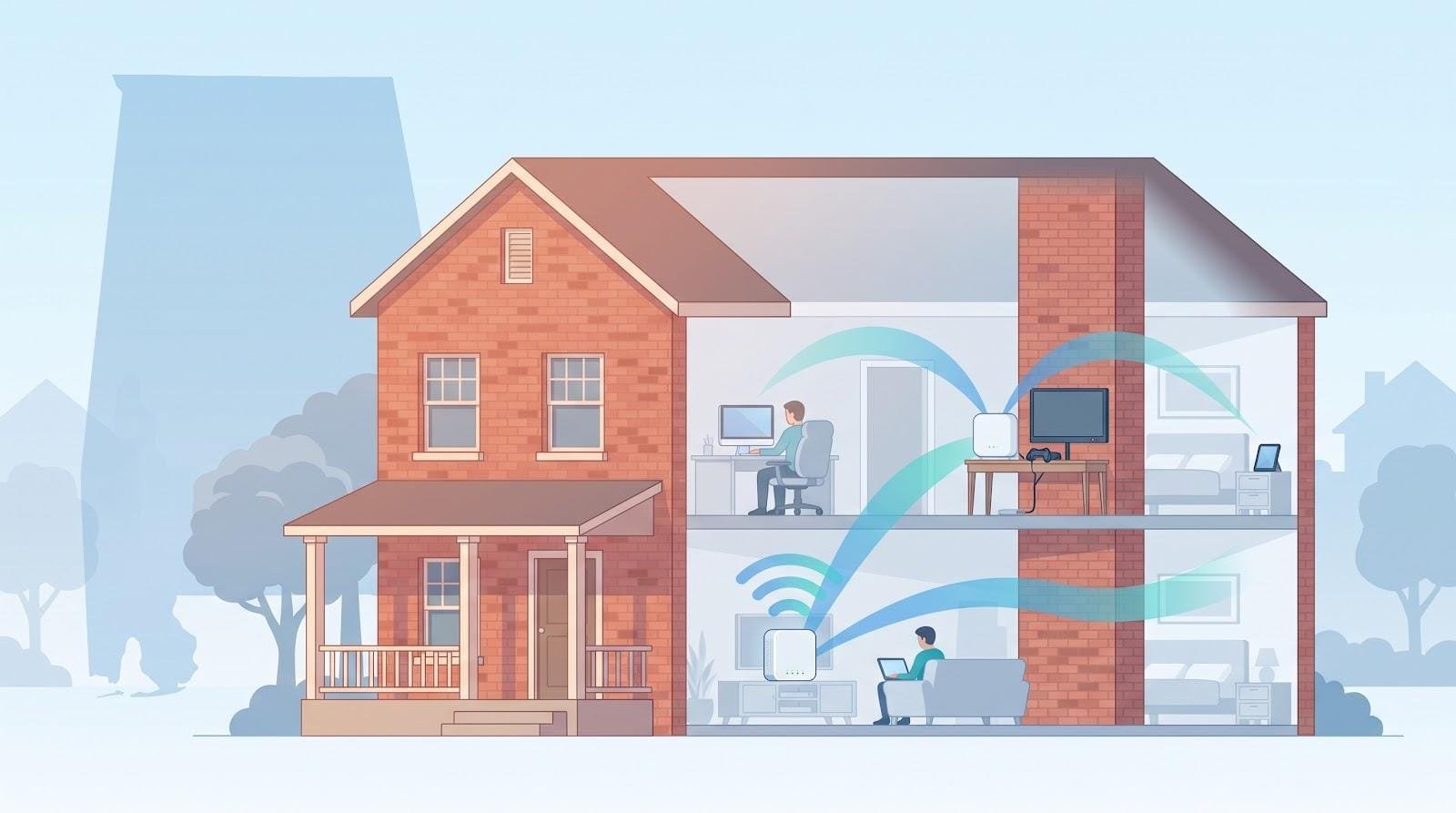
To make the cut, a provider had to hit two marks: deliver at least 300 Mbps into the house and ship a managed mesh system to spread that speed throughout it.
We screened Alabama ISPs against four hard-line gates:
- Address-level service to roughly 1 percent or more of Alabama households (BroadbandNow Alabama database: https://broadbandnow.com/Alabama)
- A published mesh or cloud-managed extender option, not just a lone gateway
- A 300 Mbps (or faster) tier available today
- Current, verifiable plan details on price and equipment
Next, we graded every qualifier on six weighted factors (25, 20, 20, 15, 10, 10 percent):
- Mesh design and brick-wall performance
- Raw network stats: fiber vs. cable, symmetry, and latency
- Alabama footprint by address
- True 24-month cost, including node rentals
- Customer experience: J.D. Power’s 2025 South scores put GFiber at 703 and AT&T at 595
- Contracts, parental controls, and support quality
Because availability flips block by block, we award “best for” ribbons instead of a ranked list. Match the ribbon to your address and construction style, and you’re already ahead.
Six whole-home Wi-Fi providers to consider in Alabama
The six providers below cleared our mesh-and-speed screen. We list them by use case, not by score, so pick the ribbon that best fits your address and construction style.
1. WOW! whole home WiFi services: best low-cost eero add-on in WOW! areas
WOW! whole home wifi services add two eero devices to any WOW! Internet plan for $9.99 a month, the lowest managed-mesh price in this guide. Each extra eero access point adds $5 per month.
You plug the eero gateway into the WOW! modem yourself or book a technician, place the second node where the signal starts to fade, and hand control to the familiar eero app (guest network, parental pauses, automatic firmware updates all on one screen).
Heads-up
- On WOW! cable addresses uploads ride coax, so large cloud backups crawl compared with fiber; in WOW!’s fiber areas of Huntsville, Auburn, Dothan and Montgomery uploads are symmetrical.
- WOW! says the eero model varies by location and speed tier; its lineup runs from eero 5 and eero 6 up to the Wi-Fi 7 eero Max 7, so ask which unit your address gets before you count on 6 GHz.
- Rate-card fees can jump after the promo year. Screenshot the Broadband Facts label before you check out.
For homes that just want reliable mesh without a big buy-up, WOW!’s bundle brings phone-supported, plug-and-play coverage for less than most DIY kits.
2. AT&T Fiber + All-Fi Pro: best fiber reach plus Wi-Fi 7
AT&T’s fiber footprint touches about 35.8 percent of Alabama households, the widest among this guide’s fiber options. Add the All-Fi Pro package and that line turns into a Wi-Fi 7 hub.
Hardware. A Wi-Fi 7 gateway provides multi-gig wired ports and 6 GHz wireless. Each extender AT&T approves for your home appears in the same Smart Home Manager app that tests speed, pauses devices, and blocks threats.
Pricing. Fiber 300 lists at $35 per month; All-Fi Pro adds $25. Hyper-gig tiers include the base All-Fi gateway and app, but the Wi-Fi 7 All-Fi Pro package is still a $25 add-on on every tier (online offer, September 2, 2026).
Terms. No contract, no data cap, and a J.D. Power South satisfaction score of 595, second only to GFiber.
Mind the fine print
AT&T decides how many extenders your home qualifies for, and two years of the add-on costs $600 (enough to buy a high-end DIY mesh if you want deeper controls).
If fiber reaches your street and you want symmetrical speed plus Wi-Fi 7 without juggling firmware, All-Fi Pro is a straightforward choice.
3. GFiber Home 3 Gig: best performance pick for Huntsville homes
Huntsville enjoys what most Alabama cities still lack: symmetrical 3 Gbps fiber from GFiber. The Home 3 Gig plan costs $100 a month and ships a Wi-Fi 7 router plus up to two extenders. Advertised whole-home coverage is about 5,000 sq ft, and the installer will hard-wire two rooms if needed.
Why it stands out
- Top customer satisfaction. GFiber scored 703 / 1,000 in J.D. Power’s 2025 South study.
- Flat pricing. No promo timer, install fee, or equipment rental add-ons.
- Installer tuning. Technicians place and test each node before they leave, so brick walls get fixed on day one.
Things to weigh
Service is limited to Huntsville-area ZIP codes, and most households will never use the full 3 Gbps. If you move large media files, game on several PCs, or want Alabama’s highest-rated fiber with Wi-Fi 7, Home 3 Gig is your premium pick.
4. Kinetic Fiber Max: best turnkey eero Pro 7 bundle
Kinetic’s Fiber Max 2 Gig plan lists at $89.99 per month after a $5 AutoPay credit and keeps that rate for three years. The package ships an eero Pro 7 gateway plus whole-home extenders “as needed,” already linked so Wi-Fi comes online as soon as you plug them in.
Perks you get
- Wi-Fi 7 hardware. Tri-band eero Pro 7 with eero Plus security and parental controls.
- Symmetrical 2 Gbps fiber. Equal uploads and downloads for large cloud backups or livestreaming.
- Premium support. Round-the-clock phone help and on-site optimization are included.
Watch-outs
Kinetic’s fiber map misses many Alabama blocks, and it does not place in the top three of J.D. Power’s 2025 South wired rankings. Ask the installer how many extenders “as needed” really means; brick interiors often need at least two.
If your address qualifies, Fiber Max bundles Wi-Fi 7 gear, mesh tuning, and a three-year price guarantee into one predictable monthly charge. No hardware hunt, no surprise rental fees.
5. Spectrum Internet Gig + Advanced WiFi: best widespread cable option with a Wi-Fi 7 gateway
Spectrum’s hybrid-fiber-coax network reaches an estimated 43.2 percent of Alabama addresses, making it the most common wired fallback when fiber stops short.
Pricing and gear
- Gig plan: $60-$70 per month in sampled Alabama ZIP codes, with Advanced WiFi (Wi-Fi 7 gateway plus cloud controls) already included, so no extra router fee.
- Extenders: $5 per month each if a technician recommends more coverage.
- Terms: No contract, no data cap. Spectrum does not place in J.D. Power’s 2025 South top three either.
How the hardware helps
The tri-band gateway opens 2.4, 5, and 6 GHz lanes; newer phones enjoy a roomy 6 GHz channel while older gadgets stay on 2.4. If power outages worry you, qualifying Gig customers can add Invincible WiFi, which stacks 5G backup on the same mesh.
Points to weigh
Cable uploads peak around 35-40 Mbps, so large cloud backups trail fiber. Check your Broadband Facts label for the exact first-year price and extender count before you sign.
When fiber skips your block, Spectrum’s built-in Wi-Fi 7 and modest $5 extender fee make it the most future-ready cable choice in Alabama.
6. Point Broadband + SmartHome Wi-Fi: best rural Alabama mesh value
Point Broadband fills the gaps big carriers skip around Opelika and Lake Martin, along the Baldwin County coast, and in Hazel Green north of Huntsville, places that once relied on DSL. Point prices by address, so run the checker; its fiber tiers run 300 Mbps to 2 Gbps, the SmartHome Wi-Fi pods come with the plan, and the Opelika market advertises a three-year price guarantee.
SmartHome runs on Plume pods. The cloud software steers traffic toward the nearest pod, and you can move pods between outlets if a brick fireplace blocks signal.
Things to check before you order
- Point has not said which Wi-Fi standard its current Plume pods support.
- Contract length and early-termination fees vary by market; read the Broadband Facts label.
- No independent J.D. Power score exists yet, so lean on local word of mouth.
For rural ZIP codes that still lack fiber choices, Point’s bundle of internet, mesh, and install can beat juggling a satellite line and a DIY router.
Why brick and two-story homes need a different Wi-Fi strategy
Brick veneer versus interior masonry
From the street many Alabama houses share the same red-brick look. Inside, construction differs, and that choice decides how far your Wi-Fi travels.
- Brick veneer is mostly decorative, so signals still pass through studs and drywall. One mesh node on the first floor often reaches the porch.
- Full brick or block walls act like a lead apron. Brick and block are among the worst common building materials for 5 GHz signal, and testers routinely measure throughput falling by half or more across a masonry wall compared with drywall.
Focus on what sits between each node, not square footage. Two eeros that blanket a wood-frame ranch may struggle in a 1940s cottage with interior masonry.
Why upstairs coverage drops
A downstairs gateway must climb through insulation, subfloor plywood, ductwork, and wiring before it reaches the second floor. Each layer weakens the signal; large appliances and HVAC chases can reflect or absorb what remains. Place the first satellite near a stair landing, test, then inch it closer to the gateway (never inside the dead zone) until latency stabilizes.
Wi-Fi 6, 6E, and 7 in dense construction
- Wi-Fi 6 improves efficiency but not penetration; it still rides 2.4 GHz and 5 GHz.
- Wi-Fi 6E/7 add 6 GHz capacity that flies at short range yet fades quickly through masonry.
Use the newest standard your provider offers for capacity, then shorten the hop between nodes to offset brick loss.
When to use Ethernet or MoCA backhaul
Wireless hops trim speed on every jump. Hard-wiring between nodes restores full bandwidth.
Backhaul is worth the effort when:
- A gaming room sits behind two brick walls.
- A home-office Zoom call cannot risk jitter from the kitchen below.
- Bedrooms line a long hallway where Wi-Fi must zigzag past HVAC runs.
- A detached studio streams 24/7 security video.
Existing coax plus MoCA adapters delivers gigabit backhaul without opening drywall. Wire first, then enjoy mesh that behaves like wired access points. Fast and predictable, even on storm-day Netflix marathons.
How much internet speed does a whole-home network need?
Speed tiers feel like ice-cream sizes, bigger looks tempting until you see the bill. Match your plan to how you use the web; a well-placed mesh often matters more than raw megabits.
300 Mbps
Three hundred megabits marks the entry point for managed whole-home Wi-Fi. A single 4K Netflix stream needs about 15 Mbps, so four simultaneous movies, two FaceTime calls, and a PlayStation download stay well below 200 Mbps. Uploads can hit 300 Mbps on fiber but only 10-30 Mbps on typical cable Broadband Facts labels. If you are not a creator or gamer household, 300 Mbps plus smart node placement usually feels identical to faster tiers. Put the savings toward an extra node or MoCA backhaul.
500-600 Mbps
Half-gig service doubles headroom for larger families filled with smart TVs, consoles, and remote-work laptops. Windows updates stop fighting Disney+ streams, and Steam installs finish before homework starts. Cable uploads climb to 20-35 Mbps while fiber stays symmetrical. At this tier tri-band nodes matter; one overworked router can still choke the upstairs loft.
1 Gbps
Gigabit plans sit between mainstream and luxury. They shine with 10 or more heavy-use devices, such as two gaming PCs, several 4K TVs, and workstations moving raw video. Fiber delivers gig-plus uploads; cable gig tiers cap uploads around 35-40 Mbps. Few phones exceed 900 Mbps over Wi-Fi, so the real win is headroom. Fix coverage first, then pay for the gig if wired speed tests still max out.
2-8 Gbps
Multi-gig sounds like rocket fuel but fits only niche cases, such as video editors moving 100 GB files, architects pushing BIM models, or livestreamers piping uncompressed 4K. Fiber keeps uploads equal, and Alabama’s fastest tiers reach 5 Gbps (AT&T) and 8 Gbps (GFiber). Phones rarely top 1.5 Gbps on Wi-Fi 7, and most IoT gear uses a fraction of that. Multi-gig mainly future-proofs a wired backbone for items like NAS servers or VR rigs while the mesh spreads sensible speeds elsewhere. Skip it for bragging rights alone; choose it if saved hours turn into billable revenue.
Key factors when comparing Alabama whole-home Wi-Fi plans
Total 24-month cost
Promotional prices look sweet until month 13. Build a two-year spreadsheet:
- Note the base rate and when it expires; fiber promos often last 12 months while cable offers can end after six.
- Add equipment: $9.99 for WOW!’s Whole-Home eero add-on and $25 for AT&T’s All-Fi Pro.
- Tally install fees, extra-node rentals, and state telecom surcharges.
Compare year-one and year-two totals, average them, then break ties with upload speed or support quality.
Included versus “available” extenders
Marketing copy says “whole-home,” but the fine print decides who pays.
- AT&T and Kinetic supply as many extenders as the tech approves.
- WOW! starts with two eeros; extras cost $5 per month each.
- Spectrum and Point include the primary router or pod, but extra units appear as a $5 line item at checkout.
Ask how many nodes arrive day one, what the next one costs, and whether the fee will be waived if coverage still fails.
Contracts, price locks, and returns
Fiber brands often include price guarantees. GFiber stays month-to-month, and Kinetic locks the rate for three years. On the cable side, WOW! skips annual contracts and sells a $5-per-month rate freeze, while Spectrum also skips contracts but may raise the base rate after year one. Screenshot the Broadband Facts label, and return every router or pod within 30 days of cancellation to avoid inflated “unreturned-equipment” fees.
Parental controls and security
Whole-home mesh also polices screens. All-Fi Pro bundles ActiveArmor, Kinetic ships eero Plus, Spectrum’s app groups devices into family profiles, and Point’s Plume pods add AI-based “Content Access.” List the guardrails you need, then confirm they’re included at the bundle price, not behind another $10 subscription.
Installation and technical support
GFiber and Point send techs who test every room and adjust pod placement on the spot. AT&T and Kinetic optimize only during new fiber installs, and a later visit may cost extra. WOW! and Spectrum lean on self-install kits, cheap up front, but Saturday troubleshooting is on you.
Advanced networking controls
Power users should verify:
- Bridge or IP passthrough mode (GFiber: web portal, WOW!: eero app, AT&T: hidden pin).
- Port-forward builder for Xbox Live or camera servers (good on Spectrum Advanced WiFi, paid on Point’s “HomePass”).
- Legacy 2.4 GHz SSID toggle for finicky IoT devices.
Lock these features in before you order; losing them later can feel like paying for Wi-Fi in airplane mode.
Huntsville
Huntsville’s wired scene is crowded, and that competition works in your favor.
- GFiber leads J.D. Power’s South rankings at 703 / 1,000 and serves much of the metro with 1-, 3-, and 8-gig symmetrical tiers.
- AT&T Fiber fills many blocks GFiber skips, with Wi-Fi 7 available through the $25 All-Fi Pro add-on and a $35 per month 300 Mbps entry plan.
- WOW! stays the budget pick on cable streets and sells symmetrical fiber up to 5 Gbps in parts of Huntsville; its Whole-Home eero add-on costs $9.99 per month for two nodes.
- Spectrum covers most other homes; its Gig tier now includes a Wi-Fi 7 router and $5 per month cloud extenders.
Installation slots come quickly, promo periods run longer, and technicians know you can switch to the house next door. Rerun an address check before you sign because a block-to-block shift can reduce four options to two.
Birmingham and nearby suburbs
In Birmingham your wired choice follows a simple split: addresses with AT&T Fiber and those still on cable.
- Downtown lofts and new developments often get symmetrical 1-gig fiber. AT&T’s Broadband Facts lists uploads at 940 Mbps and entry pricing at $35 per month for 300 Mbps.
- Older condos and mid-rise rentals fall back to Spectrum coax, with 1- to 2-gig downloads and uploads around 35-40 Mbps. Spectrum’s Gig tier includes a Wi-Fi 7 router and $5 per month extenders.
- Apartments may allow only one provider in exchange for free installation. Ask the leasing office which lines are live before you sign.
- Suburbs such as Homewood, Hoover, and Vestavia Hills are patchwork. Two houses on the same cul-de-sac can see different options, so run at least two availability checkers before you decide.
Local takeaway: choose AT&T Fiber when it is available; if not, Spectrum Gig gives you the most mesh-ready cable path when upload speed matters less.
Mobile and south Alabama
Mobile’s waterfront skyline hides a patchwork of connectivity.
- AT&T Fiber reaches Midtown and parts of West Mobile with symmetrical 1 gig service, according to AT&T’s Alabama availability map.
- Xfinity dominates farther south. Broadband Facts labels list 1.2 Gbps down / 35-40 Mbps up; WiFi Boost Pods are sold separately, so price them at checkout.
- Rural Baldwin County and the Eastern Shore rely on Point Broadband fiber plus fixed-wireless from electric co-ops. Those radio links top out around 100-200 Mbps and need a clear line of sight.
Storm season puts resilience on your checklist. Spectrum’s Invincible WiFi layers 5G backup on its Advanced WiFi mesh, and AT&T sells external gateway batteries, handy for short outages on low-lying ground.
Subdivision-level differences are stark, so run an address check before closing dates. One side of a street may stream Monday Night Football in 4K while the other side crosses its fingers for a rain-soaked DSL line.
Auburn and east Alabama
Auburn’s fiber mix is unusually competitive for a college town.
- WOW! sells a 300 Mbps plan from $30 per month with AutoPay and paperless billing. Add Whole-Home WiFi for $9.99 per month and two eero nodes arrive for about $40 a month all in. Extra access points cost $5 per month.
- AT&T Fiber covers campus neighborhoods and much of Opelika. Fiber 300 is $35 per month; All-Fi Pro with Wi-Fi 7 extenders is $25 more on any tier.
- Point Broadband reaches nearby rural pockets around Opelika. Pricing appears only after an address check, and the plan includes SmartHome Wi-Fi.
Availability can change block by block, especially in student apartments where provider contracts shift each year, so run your own address check before you sign. A single block can move you from fiber to coax overnight.
Rural Alabama
Beyond city limits fiber thins out, and a single oak can block a fixed-wireless link. When that happens, four names rise to the top:
- Kinetic serves parts of the Tennessee Valley and east-central counties with the Fiber Max 2 Gig plan at $89.99 per month, an eero Pro 7 gateway, and extenders “as needed.”
- Point Broadband covers gaps around Lake Martin in Tallapoosa County and in Baldwin County. Pricing appears only after an address check, and the plan includes Plume SmartHome Wi-Fi.
- C Spire Fiber and TEC maintain smaller fiber footprints along highways; each bundles Plume- or EasyMesh-based whole-home Wi-Fi that you can move as walls require.
No fiber available? Check your electric cooperative. Fixed-wireless grants often deliver 100-200 Mbps radio service that pairs well with a two-node mesh inside brick farmhouses, provided trees do not block line of sight.
Remember, Alabama’s federal BEAD and state grant awards are construction promises, not live service. Until crews bury that orange conduit, run every address checker you can find and weigh raw speed against mesh support and contract length.
Managed ISP mesh versus buying your own system
Benefits of provider-managed Wi-Fi
Letting your ISP handle Wi-Fi feels like ordering a meal kit: you scan a QR code and the gateway, app, and support line arrive ready to serve.
- Single point of support. One call restarts both the line and the mesh; no finger-pointing between modem and router brands.
- Pre-paired gear. Extenders auto-join, band-steer devices, and download firmware overnight. AT&T’s All-Fi Pro even swaps gateways for Wi-Fi 7 after a few years.
- Built-in security. ActiveArmor, eero Plus, or Plume Guard block malicious domains without a separate subscription.
- Predictable cost. WOW!’s Whole-Home add-on is $9.99 per month, Spectrum folds Advanced WiFi into Gig, and Kinetic bundles eero Pro 7 at $89.99 per month total, so no four-hundred-dollar online cart surprise.
For renters or busy families, those perks often outweigh the loss of hobby-level controls. You set it, forget it, and enjoy the weekend.
Benefits of owning the equipment
Buying your own mesh is like cooking at home: you pick the ingredients and keep the leftovers.
- Total control. SSID names, VLAN tags, 2.4-GHz “IoT” networks, VPN servers; retail kits expose every knob.
- Lower long-term cost. A two-node Wi-Fi 6E kit averages about $350 and breaks even against a $25 per month rental after 14 months, then keeps saving.
- Earlier tech. Store systems often ship Wi-Fi 7, tri-band backhaul, and 2.5-gig LAN ports months before ISPs refresh gateways.
- Provider flexibility. Flip the ISP box to bridge mode, plug in your router, and the whole house keeps its network name when you switch from cable to fiber.
DIY is not for everyone (you own setup, updates, and troubleshooting), but for tinkerers or homeowners planning to stay three years or more, buying once can cost less and do more.
When a stand-alone kit makes sense
- Rental math fails. If All-Fi Pro or Advanced WiFi adds $20 per month, you recoup a $350 kit in 18 months.
- Missing features. VLANs, site-to-site VPN, or separate IoT SSIDs are often locked on ISP gear.
- Existing Ethernet. Wired backhaul turns any mesh into enterprise-grade Wi-Fi.
- Frequent provider swaps. Own the router to avoid return fees.
- Fiber arriving soon. Buy once, keep it when the orange conduit goes live.
Setup risks with a DIY mesh
Double NAT, VoIP lines that die in bridge mode, missed firmware patches, and blurred support boundaries can turn Saturday night into a troubleshooting marathon.
Frequently asked questions
What is the best whole-home Wi-Fi provider in Alabama?
There is no single winner because coverage changes block by block. If your address qualifies for GFiber (ranked 703 / 1,000 in J.D. Power’s 2025 South study), it is the premium pick. AT&T Fiber comes next where GFiber has not built, thanks to broad reach and Wi-Fi 7 All-Fi Pro. WOW!, Spectrum, Kinetic, or Point Broadband can still win on price or rural reach, so run an address check before you decide.
Does mesh Wi-Fi work through brick walls?
Yes, but only with smart placement. Keep the first extender on the same side of a brick wall as the gateway, never inside the dead zone. If RSSI falls below about -70 dBm (about two bars), move the node closer or hard-wire it with Ethernet or MoCA. Wi-Fi 6E/7 adds 6 GHz capacity, yet that band fades faster through masonry, so distance, not just standard, decides success.
How many mesh nodes does a two-story house need?
Most two-story Alabama homes end up with two or three nodes: gateway downstairs, satellite on the stair landing, and a third node in the far room if brick divides the floor plan. Test the setup. If download speed upstairs stays at least 70 percent of the gateway reading and latency rises less than 10 ms, you are set. Otherwise, add a node closer to the gateway or wire the hop.
Is the Affordable Connectivity Program still available?
No. The federal ACP closed to new enrollments on June 1, 2024. Look into Lifeline or provider aid programs instead.
What do extra Spectrum or WOW! extenders cost?
Spectrum cloud extenders run $5 per month each. WOW! rents additional eero access points for $5 per month, beyond the two included in its Whole-Home package.
Will whole-home Wi-Fi stay online during a power outage?
Only if the gateway, mesh nodes, and ISP line have backup power. GFiber sells optional battery packs, and Spectrum’s Invincible WiFi adds 5G fail-over. Without backup, mesh coverage drops when the modem loses power.
Conclusion
If you relish tinkering, own it; if not, a managed mesh keeps your weekend free. For the brick and two-story homes this guide is written for, the deciding factor is node placement and backhaul, not the headline speed, so use the speed section to size the plan and the comparison factors to pick between the six providers. Whichever you choose, ask where the second node goes before installation day, and test the far bedroom, not the router closet.