
Online learning isn’t a side gig anymore. Analysts project global e-learning revenue will top $400 billion by 2026, and dozens of apps are jostling to host, sell, and scale your courses.
If you’ve searched “best course platform,” you know the feeling: tab overload, feature FOMO, and marketing buzzwords that blur together.
This guide cuts through that noise. We scraped fresh user ratings, reviewed the latest feature drops, and scored each platform on six revenue drivers—creation tools, monetization muscle, learner experience, analytics, integrations, and pricing.
By the end, you’ll know exactly which platform fits your content, audience, and growth plan.
How we selected & ranked the platforms

Choosing “the best” means nothing without a clear yardstick, so we built one.
First, we audited page-one search results. We read more than twenty comparison posts on Google, noted every platform they mentioned, and flagged blind spots such as accessibility, community tools, and real user satisfaction.
Next, we listened. We scraped hundreds of fresh reviews on G2 and Capterra and read threads on Reddit, Quora, and instructor Facebook groups. The unfiltered praise and pain points revealed what still matters after the honeymoon period.
With those insights, we scored each platform across six weighted pillars tied to revenue and retention:
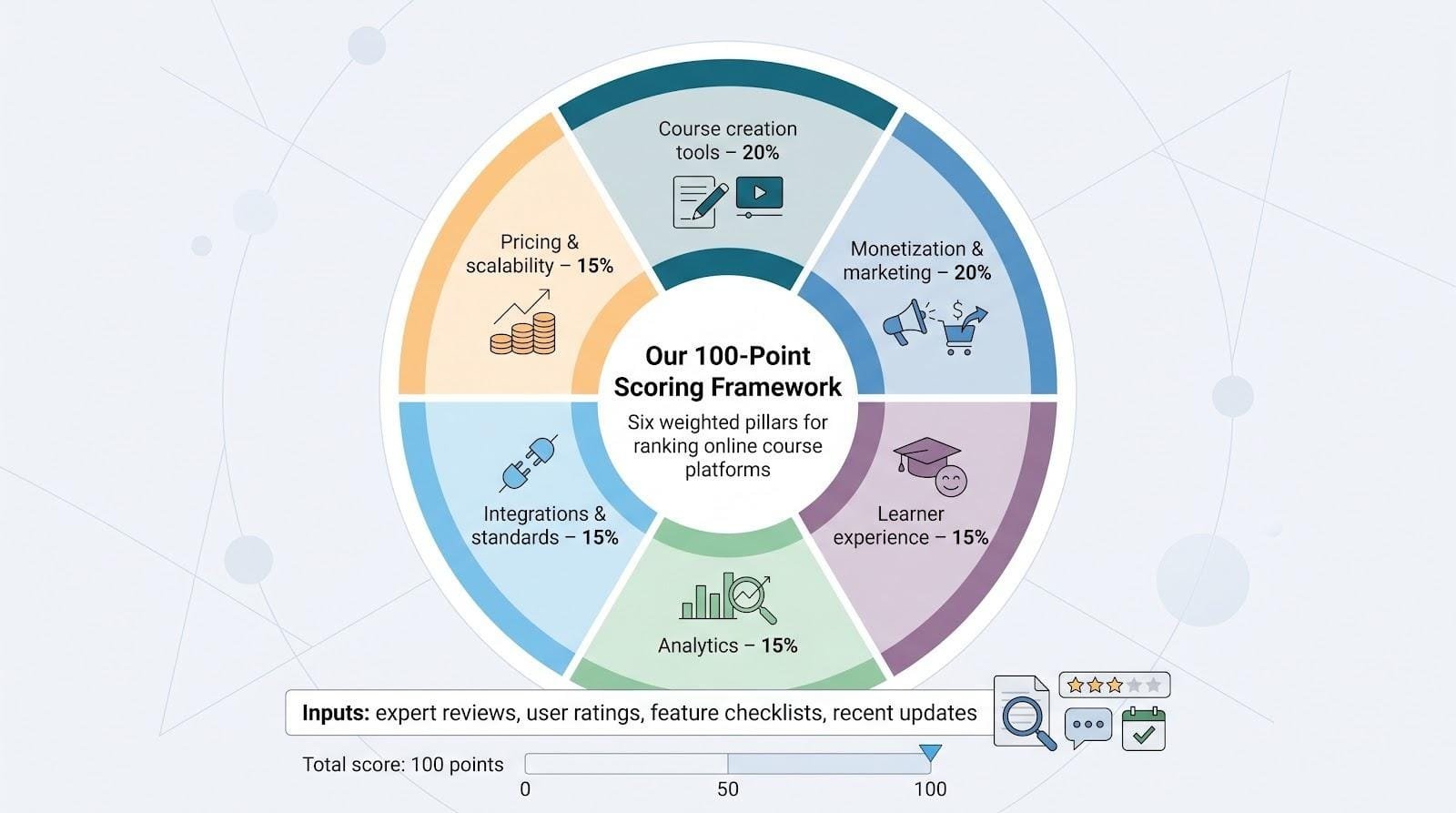
- Course creation tools and Monetization & marketing carry the most weight at twenty percent each—without engaging content and a way to sell it, nothing else matters.
- Learner experience, Analytics, and Integrations & standards follow at fifteen percent each because happy students and clean data drive word-of-mouth growth.
- Pricing & scalability rounds out the grid at fifteen percent, giving new creators and enterprise teams equal consideration.
We fed every data point—feature checklists, price tiers, and median review scores—into a 100-point rubric. When platforms tied, the one that shipped a meaningful update within the last eighteen months earned the higher slot.
Our eventual winner, GoSkills, clinched the tie-breaker thanks to its February 2026 Genie 2.0 upgrade. GoSkills’ own release notes show the AI assistant builds full courses in minutes, and a City of Brownsville pilot slashed quiz-writing time from about 60 minutes to 10. That measurable speed gain met our “meaningful update” bar and nudged GoSkills into first place.
The result is a ranked list that reflects today’s market reality, not last year’s press releases.
1. GoSkills LMS: best online learning management system for teams
Picture a platform that hands your managers a library of hundreds of ready-made courses and lets them build custom lessons before lunch. That’s GoSkills in a nutshell.
The appeal starts with microlearning. Lessons arrive in bite-size bursts, and that format helps teams finish what they start. Real users report completion rates above forty percent (triple the industry norm). Higher completions lead directly to better skill retention and happier stakeholders.
GoSkills backs the speed claim with AI-powered templates that build full lessons for you. With GoSkills’ online learning management system for teams, setup truly takes minutes, not months. Admins drag in videos, spin up quizzes, and publish pathways without calling IT. If you’ve ever wrestled with a clunky corporate LMS, the contrast feels almost unfair.
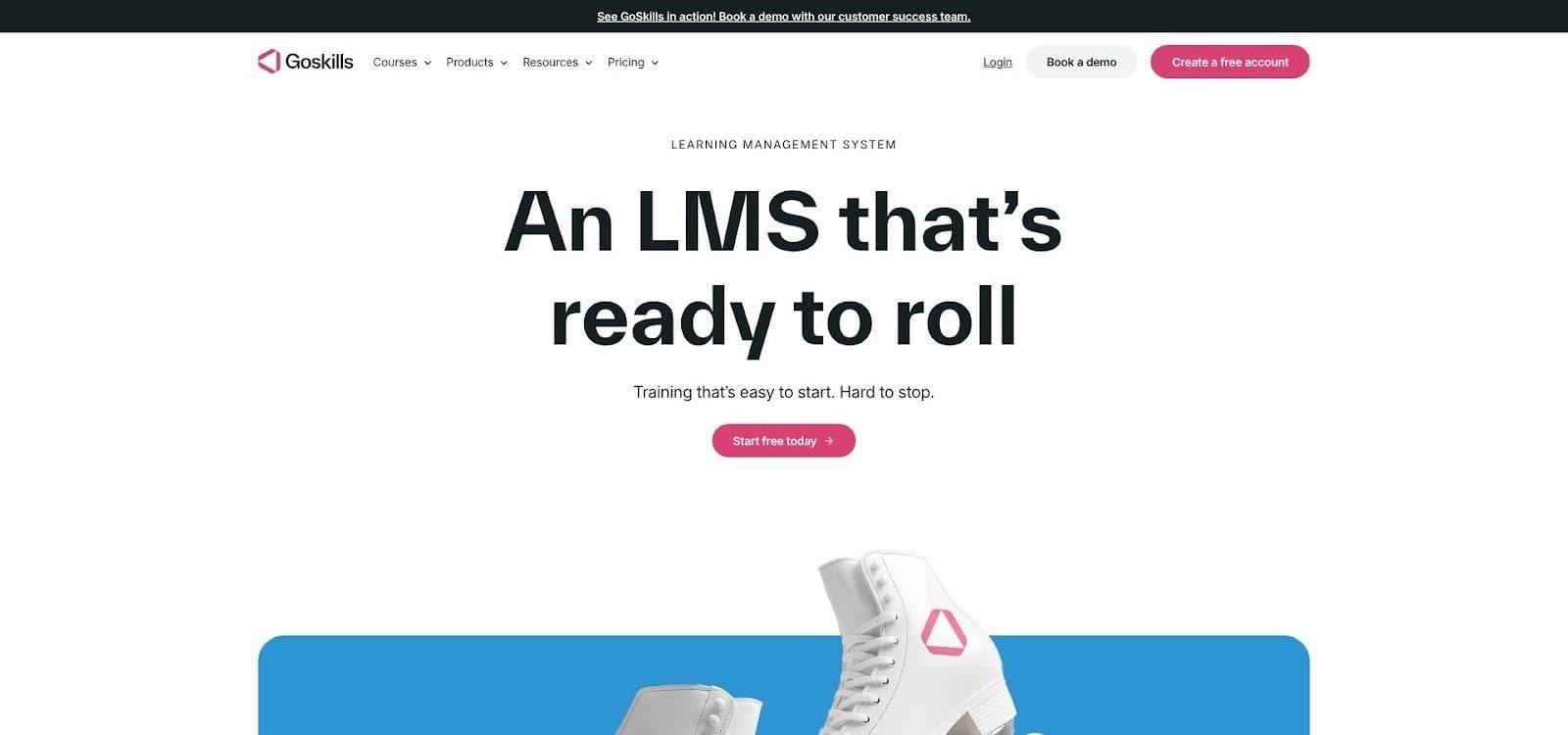
GoSkills LMS teams dashboard screenshot highlighting microlearning and analytics
GoSkills also treats data lovers well. Dashboards surface progress, quiz scores, and skill gaps by learner or department. Executives get instant proof that training dollars are working.
Pricing stays friendly as you scale. You pay per active team, skip transaction fees, and access a two-week trial to test the waters.
One caveat: GoSkills focuses on internal training. If your goal is a public course storefront with elaborate funnels, you’ll need a separate e-commerce layer. For onboarding, compliance, and continuous upskilling, though, GoSkills is hard to beat.
2. Teachable: best for beginners and independent course creators
If you’re launching your first course, Teachable is the friend who hands you the keys and says, “Go create.” The dashboard guides you through uploads, pricing, and checkout settings in a logical flow, and the default student view looks polished without a single line of CSS. Many new creators ship a pilot course in a weekend.

Teachable course creation dashboard screenshot for new creators
Selling feels just as smooth. Stripe and PayPal are built in, coupons take seconds to issue, and the platform even manages EU VAT for you. You focus on content while Teachable handles the tax math in the background.
Recent AI releases sweeten the deal. Drop in a topic prompt and the curriculum generator drafts a lesson outline and quiz ideas before your coffee cools. For solo instructors staring at a blank page, that speed boost matters.
Cost stays sensible. You can test on a forever-free plan, then move to the Basic tier once income rolls in. Upgrading removes transaction fees, so your margins climb with your audience.
Downsides? Design freedom is limited to preset themes, and there’s no native discussion forum. If community or full-site branding tops your wish list, keep reading; other platforms cover those gaps. For getting started fast, though, Teachable is tough to beat.
3. Thinkific: best overall value for growing course businesses
Thinkific sits in a sweet spot between starter friendly and enterprise ready. You can open a free account, launch one course, and pay zero transaction fees. When sales pick up, you gain access to advanced features without moving to a new platform. That glide path explains why Thinkific edges out rivals in creator usage surveys.
The course builder feels familiar, with drag-and-drop lessons, bulk video upload, and easy rearranging. Where it shines is flexibility. Add graded quizzes, collect assignments, issue completion certificates, and gate modules until a prior lesson is finished. Those guardrails lift completion rates when material gets tough.
Community is now baked in. With a click, you spin up discussion spaces tied to a course or to your whole school. Students trade insights without leaving your site, and you avoid corralling them into a noisy Facebook group.
Integration options run deep. Zoom webinars, Mailchimp emails, Shopify storefronts, and more than eighty additional apps connect through the Thinkific App Store. That network lets you add funnel tools or marketing pixels as your strategy matures.
Trade-offs exist. Thinkific doesn’t run full email campaigns natively, so you’ll still rely on an external service for complex automations. Checkout is solid but basic; it lacks built-in cart recovery emails and one-click order bumps. For most creators, those gaps are minor compared with the control, scalability, and fee-free sales Thinkific delivers out of the box.
4. Kajabi: best all-in-one platform for scaling a knowledge business
Kajabi is less a course host and more a business cockpit. Open the sidebar and you’ll see every moving part of a digital venture: website pages, blog posts, email broadcasts, automated funnels, community spaces, and of course, courses. For seasoned creators juggling five different SaaS tools, signing in once can feel like gaining an extra day each week.
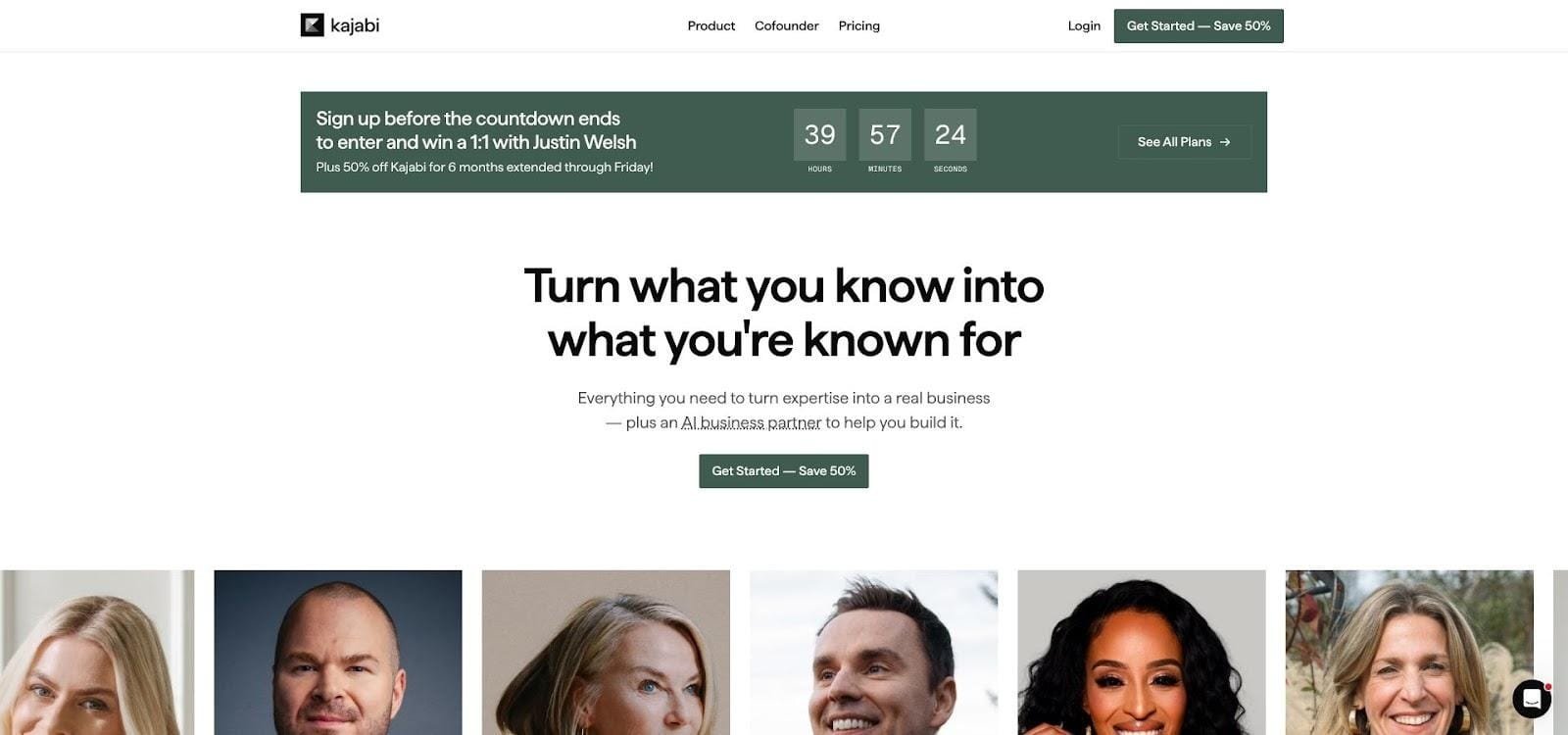
Kajabi all-in-one business cockpit dashboard screenshot
Marketing is the headline act. Visual pipelines chart a prospect’s journey from opt-in to sale to upsell. Prebuilt templates keep momentum: drop in your copy, press publish, and the system handles tagging, timing, and follow-up. Pair that with one-click order bumps and you can lift average cart values well beyond most rivals.
Learners also get a premium ride. Kajabi supplies a free mobile app, crisp course layouts, and a built-in community feed where members post wins, questions, and resources. Engagement rises when students binge lessons on the commute and trade notes without hunting for a Facebook group.
All that power carries a price. Plans start near one-fifty per month and limit the number of products and contacts. For a creator earning under four figures, the bill can sting. Many pros still switch because replacing separate email, funnel, and community software often saves money overall.
Kajabi becomes the upgrade path when your mailing list hums, your product line expands, and you’re ready to trade duct-taped workflows for one streamlined hub.
5. LearnWorlds: best for interactive learning and fully branded online schools
Some platforms host videos; LearnWorlds crafts experiences. Interactive checkpoints pop up inside videos, e-books let students answer questions in the margin, and SCORM packages import without hassle. If you teach material that benefits from hands-on practice, these tools turn passive watchers into active participants.
Brand control is another standout. The site builder offers dozens of templates you can tweak down to button color and font pairing, then publish under your own domain. On higher tiers, the team even ships a white-label mobile app for iOS and Android, so learners download an app with your logo, not a third-party badge. That lift in perceived authority often boosts sales.
Data arrives minute by minute. Heatmaps reveal the timestamps students rewatch, showing where concepts stick or stall. Quiz analytics flag knowledge gaps before they snowball into drop-offs. For certification programs or CPD tracking, those insights mean faster curriculum tweaks and higher pass rates.
Integrations cover the needs of professional teams—Zoom for live cohorts, Zapier for automations, and single sign-on for corporate clients. Add GDPR compliance, multiple language options, and built-in payment gateways, and you have a school that feels enterprise level without the bloat.
Expect a learning curve. The same depth that thrills instructional designers can overwhelm casual creators. Block an afternoon to explore every menu and watch LearnWorlds’ onboarding videos. Once mastered, the platform rewards you with an online school that looks and feels custom built.
6. Podia: best all-in-one for creators who crave simplicity
Podia keeps its promise simple: give creators every tool they need and hide the complexity under the hood. Open your dashboard and you’ll see courses, digital downloads, memberships, webinars, and email living in one tidy sidebar. No plugins, no Zapier juggling, just a workspace that feels familiar right away.
Building a storefront is quick. Pick a color palette, drag in sections for curriculum, testimonials, and FAQ, then hit publish. The result is a sales page that loads fast and looks polished on mobile without custom code.
Community features come ready to use. Spin up a members-only space where students share wins, trade feedback, and keep each other accountable. Engagement stays on your turf instead of drifting to third-party groups you can’t control.
Podia also handles customer conversations. A live chat widget appears on your site, ready to capture presale questions or support requests while you sleep. Many creators see higher conversion rates because visitors can ask, “Does this cover beginners?” and get an instant answer.
Pricing stays clear. You get three paid tiers, zero transaction fees on higher plans, and a thirty-day trial. If you pay annually, Podia’s team migrates content from your old platform for free, a perk when tech fatigue sets in.
Limitations show up as you scale. The page builder offers only basic layouts, analytics stay top-level rather than granular, and quiz options are limited to simple checks for understanding. For advanced funnels or data slicing, you’ll outgrow Podia. For creators who value ease over knobs and dials, though, Podia keeps business pleasantly uncomplicated.
7. Mighty Networks: best platform for a course-plus-community hybrid
Some courses thrive on solitude. Others spark only when students coach one another, share resources, and celebrate wins together. Mighty Networks was built for the second group.
You start by creating a branded community that feels like its own private social network. Posts flow in a familiar feed, members follow topics, and push notifications bring them back. Courses live inside that hub, so lessons and discussion sit side by side instead of on separate islands. The result is higher daily engagement and, not by chance, higher completion rates.
Monetization stays flexible. Charge for access to the whole community, gate individual courses, or bundle both in one subscription. Because checkout happens natively, members buy with two clicks and land straight in the feed, ready to learn.
Mobile experience is a major win. Students tap a polished iOS or Android app, branded with your colors, and carry the conversation in their pocket. For cohort programs that rely on momentum, those real-time pings keep energy high between live sessions.
That power costs more. The Launch plan, priced just under a hundred dollars per month, activates the course feature and adds a small transaction fee. Quiz options are basic and there’s no native certificate builder, so heavily credentialed training may need add-ons.
If your goal is to turn strangers into a tight-knit learning community, Mighty Networks supplies the social glue most LMS tools miss.
8. LearnDash: best WordPress LMS plugin for full control
Sometimes the safest place for your content is on a site you own. LearnDash puts advanced LMS features inside WordPress, so your courses live under your domain and on your hosting plan.
Feature depth matches many cloud platforms. You can drip lessons, set prerequisites, randomize question banks, and award certificates without touching code. Add the assignments module and students upload projects for manual grading, a plus for coaching or design critiques.
Flexibility is the real hook. Pair LearnDash with WooCommerce for sophisticated pricing, MemberPress for tiered memberships, or Elementor for pixel-perfect sales pages. Need SCORM or xAPI support? Install an add-on and import packages built in Articulate or Captivate. With thousands of WordPress plugins available, your stack can grow as your vision expands.
Cost stays predictable. A single-site license runs a couple hundred dollars per year, and there are no platform fees nibbling at each sale. For high-volume creators or corporate academies, that flat pricing protects margin.
The trade-off is tech stewardship. You’re on the hook for hosting speed, plugin updates, and backups. Managed WordPress hosts ease the burden, and LearnDash recently launched a cloud option for those who want plugin power without server chores, yet you should still expect more setup time than a turnkey SaaS.
Choose LearnDash when platform independence and granular control matter more than the convenience of an all-in-one. For ambitious course entrepreneurs who already live in WordPress, it feels like home turf, only now that home includes a full-featured classroom.
9. Udemy: best marketplace for instant audience reach
Launching a course on your own site can feel like playing to an empty room. Udemy hands you a packed auditorium on day one. More than seventy million students search the marketplace each month, looking for skills from Python to pastry. Publish a polished course, set a price, and those learners can find you through Udemy search, email blasts, and flash sales you didn’t have to run yourself.
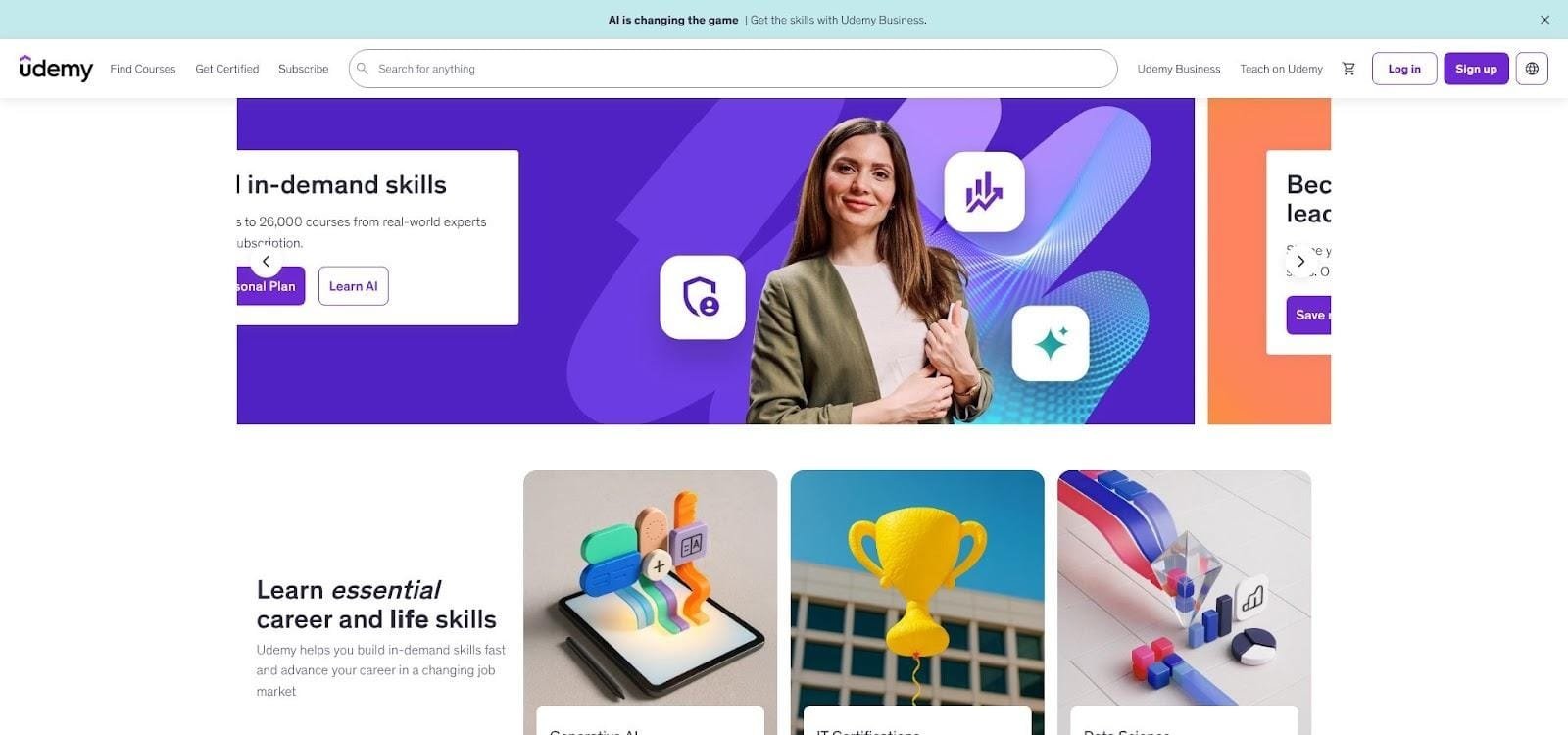
Udemy online course marketplace homepage screenshot
Setup stays friction free. Upload at least thirty minutes of video, pass a quality review, and your course goes live. Udemy hosts the content, streams the video, adds subtitles for global students, and handles customer support tickets. You focus on teaching while the platform manages the plumbing.
The trade-off is control. Udemy’s pricing algorithms discount courses often and split revenue: you keep roughly one-third of an organic sale and nearly all of a student you refer. You can’t email students outside the system, so upselling premium coaching must happen off-platform.
Even with that split, Udemy shines as a discovery engine. Many creators treat it like paid advertising in reverse: the marketplace pays you while new followers sample your style. Collect ratings, build social proof, and send serious learners to higher-ticket programs you host elsewhere. Used thoughtfully, Udemy turns cold traffic into warm leads at global scale.
10. Skillshare: best subscription marketplace for creative micro-courses
Skillshare feels like Netflix for makers. Learners pay a single subscription and stream classes on illustration, photography, or motion graphics the same way they watch a show. That model removes price friction, so your class can rack up thousands of watch minutes within days of launch.
The format favors brevity and practice. Popular classes run thirty to sixty minutes and finish with a hands-on project students post in a public gallery. Each new project pings the teacher and sparks peer feedback, creating a loop of visible progress that fuels motivation.
Instructors earn in two ways: minutes watched and referral bounties. The royalty pool usually pays five to ten cents per premium minute viewed. Publish several focused classes, stack the minutes, and monthly payouts become reliable side income. Pair that with a sixty-percent referral share on the first-year payment for every subscriber you send, and Skillshare doubles as a list-building tool.
Discovery is a major upside. The editorial team curates Staff Picks weekly, and the algorithm recommends new classes to millions of subscribers based on viewing history. Creators who land that spotlight often see a surge of followers overnight—eyeballs that would cost serious ad spend elsewhere.
Limits exist. You can’t set your own price, and you can’t email students off-platform. Income also ties to minutes viewed, so a ten-hour deep dive earns no more than a concise tutorial. Most top teachers adapt by releasing a steady cadence of short, specific classes that fit Skillshare’s binge culture.
Use Skillshare to plant creative flags, build authority, and funnel superfans to higher-ticket workshops you host independently. In the creative niches it dominates, the exposure-to-effort ratio is hard to beat.
Comparison table: features and fees at a glance
| Platform | Model | Free tier / trial | Platform fees | Stand-out strength | Core limitation |
| GoSkills | SaaS + library | 14-day trial | None | Microlearning drives 40%+ completion | No public storefront |
| Teachable | Hosted | Forever-free (1 course) | 5% on Basic plan | Easiest launch path | Limited site design |
| Thinkific | Hosted | Forever-free (1 course) | None | Fee-free scaling and app store | No native email funnels |
| Kajabi | All-in-one | 14-day trial | None | Built-in funnels and email | High monthly cost |
| LearnWorlds | Hosted | 30-day trial | $5 sale fee on Starter | Interactive video + SCORM | Steeper learning curve |
| Podia | Hosted | 30-day trial | 5% on Mover plan | Simplicity plus live chat | Basic analytics |
| Mighty Networks | Community first | 14-day trial | 2% on Launch plan | Course + community in one feed | Higher entry price |
| LearnDash | WordPress plugin | N/A (demo) | None | Full control, flat annual fee | You manage hosting & updates |
| Udemy | Marketplace | Open to publish | Keeps 63% of organic sales | Massive built-in audience | No pricing or email control |
| Skillshare | Subscription marketplace | Open to publish | Royalty pool | Fast discovery in creative niches | Earnings tied to watch minutes |
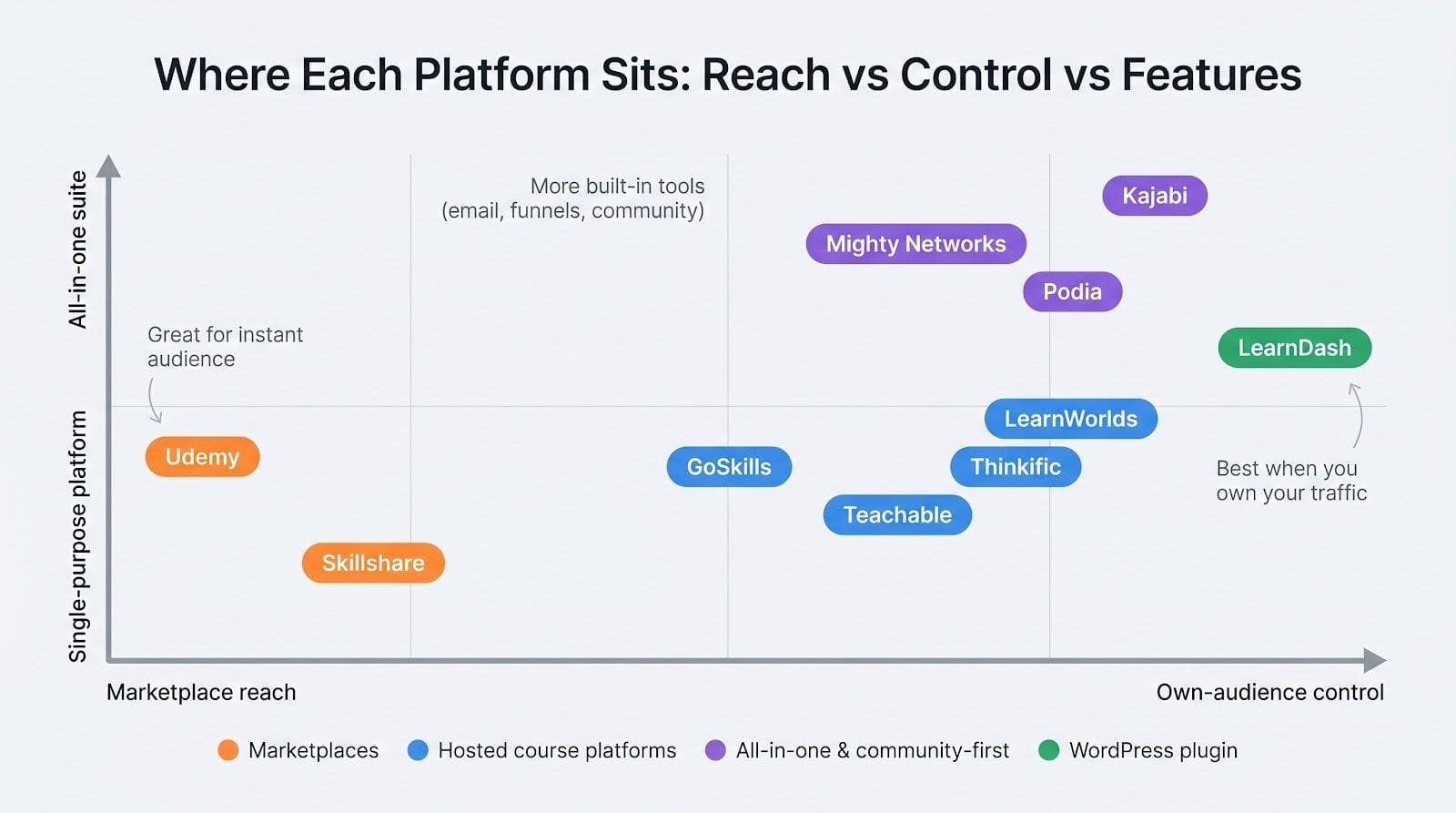
Quick tip: read left to right. Need SCORM? LearnWorlds or LearnDash fit. Crave a no-code launch under forty dollars? Podia or Teachable rise to the top. Looking for an instant audience? Check the two marketplace rows.
Frequently asked questions
Marketplace or self-hosted: Which earns more?
Marketplaces like Udemy or Skillshare trade control for reach. They push your course to millions of shoppers you couldn’t afford to target with ads, but they keep a large slice of each sale and block student email addresses. Expect bargain pricing and high volume.
Self-hosted platforms such as Thinkific, Teachable, or Kajabi flip the equation. You drive your own traffic, pocket nearly every dollar, and own the customer list. If you plan to launch higher-ticket coaching, masterminds, or cross-sell products, that direct relationship soon outweighs the marketplace megaphone.
A blended strategy often works best. Use a marketplace for discovery (think of it as paid advertising that pays you back), then invite engaged students to deeper programs on your own turf.
How much can a first-time creator realistically make?
Results swing wide. On marketplaces, many new instructors earn a few hundred dollars a month, while breakout hits with thousands of enrollments clear five figures each year. On owned platforms, revenue depends on pricing and audience size: sell a $299 program to 200 students and you have a $60,000 launch.
The pattern stays consistent. Higher prices plus direct marketing usually beat low prices and passive marketplace traffic once your audience trusts you.
What trends should we watch for 2026 and beyond?
Three stand out.
Generative AI is speeding up course production and personalizing learner feedback. Platforms offering AI outlining today will likely roll out adaptive quizzes next.
Community-centred learning is edging out solo study. Expect tighter integration of discussion feeds, live events, and cohort scheduling across the board.
Interoperability standards such as SCORM, xAPI, and LTI are moving from corporate-only checkboxes to creator tools, letting content jump between systems without re-authoring.
Early adopters of these shifts often enjoy higher completion rates and stronger student loyalty.
Do I need a separate website?
Not always. Kajabi and Podia can power a full site plus blog, while Teachable and Thinkific let you map a custom domain to their hosted pages. If you already run a high-traffic WordPress blog or shop, adding LearnDash or embedding a Thinkific checkout widget preserves your SEO strength and branding. Start simple, then add tech when conversion data proves the need.
Biggest mistake new course creators make?
Spending months perfecting fancy video before validating demand. Draft a lean outline, record one pilot module, and invite a handful of target students into a paid beta. Their feedback sharpens the curriculum faster than any solo studio session, and the testimonials become launch fuel when you scale.
Conclusion
Keep questions coming. The course space evolves quickly, but with the right compass you’ll navigate it like a pro.