
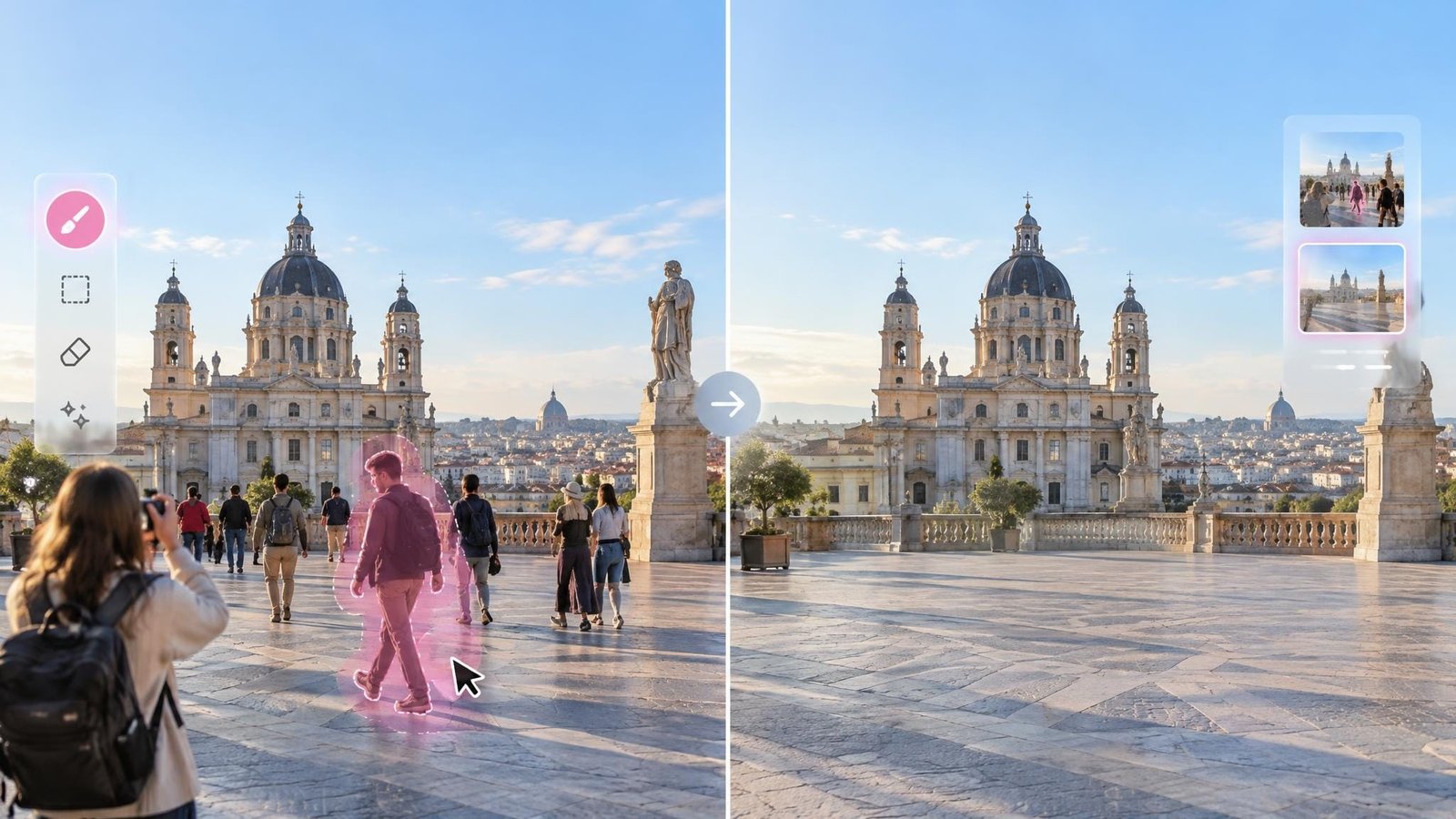
The most distracting person in a photograph is often not the one posing for it. A pedestrian at the edge of a travel shot, a passerby behind a property, or an uninvited guest in an event photo can change where the eye lands. Traditional removal involved clone stamps, layers, and careful retouching. AI tools now make the task far more accessible by detecting people and reconstructing the selected space. If you need to remove person from photo, the eight tools below offer different approaches to automatic selection, manual control, and broader editing.
1. BeautyPlus
BeautyPlus provides a dedicated tool to remove person from photo online free. After an image is uploaded and the People option is selected, Auto mode detects people and outlines them for removal. Users can then switch to Manual mode to cover missed areas or adjust the selection with a resizable brush and eraser. Undo and redo controls make it easier to correct selections before processing.
The same interface also includes separate options for removing text, watermarks, and clothing wrinkles. After clearing the unwanted person, the BeautyPlus photo enhancer can be used as an additional step to adjust clarity, lighting, and general presentation.
Best use case: Removing clearly visible passersby from travel, street, and social media photos.
Pros:
- Offers automatic person detection and manual selection
- Includes adjustable brush, eraser, undo, and redo controls
- Provides dedicated modes for people, text, watermarks, and wrinkles
Cons:
- As a lightweight browser-based tool, it offers fewer advanced controls than professional desktop software
2. Adobe
Adobe applies generative editing to person removal. Users upload an image, brush over the figure, and generate replacement content for the selected space. It generally provides several variations, allowing users to compare alternatives rather than accepting one automatic result.
Adobe is especially useful for editors already working with Adobe software. Selected results can become part of a wider Photoshop workflow involving layers, masks, color adjustments, and other detailed edits.
Best use case: Professional projects requiring several generated alternatives.
Pros:
- Produces multiple variations for comparison
- Connects with Adobe’s wider creative workflow
- Offers more editing flexibility than a one-click eraser
Cons:
- An Adobe account may be required
- The number of options can feel excessive for a quick edit
3. Fotor
Fotor combines AI person removal with a broader photo editor. Users paint over the person with an adjustable brush and process the highlighted area. They can then crop, resize, add text, correct colors, or place the image into a design without changing platforms.
Its familiar layout makes it approachable for people who want more than a single-purpose removal page but do not need a professional desktop editing environment.
Best use case: Social posts, simple marketing graphics, and everyday photo editing.
Pros:
- Provides an adjustable selection brush
- Includes numerous editing and design tools
- Works across major desktop and mobile platforms
Cons:
- The number of surrounding features can distract from the removal tool
- Some users may prefer a more focused interface
4. EzRemove
EzRemove concentrates on browser-based people removal rather than presenting a large design suite. The workflow involves uploading an image, selecting the person, and processing the marked area. Its limited number of controls helps occasional users understand the process quickly.
Because it runs in a browser, it is also convenient when users cannot install editing software on a work, school, or shared computer.
Best use case: Occasional edits completed directly in a browser.
Pros:
- Focused and uncomplicated workflow
- Requires no desktop installation
- Supports user-defined removal areas
Cons:
- Offers fewer follow-up editing tools
- Users needing detailed refinements may require another editor
5. Cloudinary
Cloudinary provides an online people-removal utility within a larger image and media management platform. Individuals can process a photo through the browser, while developers can explore Cloudinary’s APIs and SDKs for more structured workflows.
This makes the service relevant to content teams, marketplaces, publishers, and property platforms that manage many visual assets and want image transformations connected to an existing delivery system.
Best use case: Business media libraries and automated image workflows.
Pros:
- Supports browser-based and developer-oriented use
- Connects editing with image management and delivery
- Suitable for repeatable production workflows
Cons:
- API integration requires development knowledge
- The wider platform may be more than casual users need
6. Kaze.ai
Kaze.ai offers a dedicated online page for removing people from images. Its upload-based process is designed for users who want to complete an edit without learning layers, masks, or conventional retouching tools.
The focused approach is practical for cleaning up street photography, event pictures, group shots, and travel images. Users can complete the task without navigating unrelated video, audio, or design features.
Best use case: Fast browser edits for casual photography.
Pros:
- Requires little editing experience
- Runs without a software installation
- Keeps the workflow centered on people removal
Cons:
- Provides fewer advanced selection controls
- Offers limited options for broader photo editing
7. Magic Eraser
Magic Eraser uses a simple paint-over method. Users upload a picture, resize the brush, cover the unwanted person, and submit the selection. The interaction is familiar to anyone who has used a basic drawing or markup tool.
Brush-size control is useful when moving between a distant pedestrian and a larger figure. However, users must create the selection manually rather than relying entirely on automatic person detection.
Best use case: Removing individual pedestrians and small background distractions.
Pros:
- Uses a clear paint-over workflow
- Includes adjustable brush sizing
- Requires no advanced editing knowledge
Cons:
- Manual selection can take longer for several people
- Follow-up editing features are relatively limited
8. Media.io
Media.io places people removal within a larger collection of image, video, and audio utilities. After marking the unwanted figure, users can continue working with tools for resizing, sharpening, format conversion, and other content tasks.
The combined workspace can be convenient for creators who regularly prepare visuals and video for multiple platforms. It is less focused than a standalone eraser, but it reduces the need to move files between separate media services.
Best use case: Creators working with several types of digital media.
Pros:
- Combines image, video, and audio utilities
- Provides useful post-removal editing options
- Supports a browser-based workflow
Cons:
- The interface includes many tools unrelated to person removal
- First-time users may need time to locate specific features
Final Thoughts
Person removal is no longer a specialist edit, but choosing a tool still depends on how much involvement the user wants. Automatic detection reduces repetitive selection work, while brushes and erasers provide control when several subjects appear close together. Broader creative platforms are useful when removal is only one stage of a project; focused browser tools keep occasional edits simple. Whichever interface is used, it is worth reviewing the selection carefully before clicking erase. AI handles the reconstruction, but the user still decides exactly what belongs in the photograph.