

Every hour spent nudging text boxes is an hour you’re not selling. TextDeck data shows a typical pitch deck takes four to six hours to build, while AI presentation software cuts that to under 15 minutes—a 95 percent time win.
Rather than chasing rogue fonts or scrambling to update numbers, let software handle the busywork so you can refine the story.
In this guide, we’ll unpack ten AI platforms, spotlight where each one excels, and help you pick the perfect co-pilot for your next big pitch. Let’s reclaim your selling time.
How we compared the contenders

Selecting an AI deck tool takes more than attractive slides. We reviewed 15 comparison articles, scraped 200 Reddit comments, and spent 18 hours stress-testing the 10 platforms below. The aim: create a buyer’s guide grounded in real sales pressures, not another “best of 2026” roundup.
We scored every platform on six factors:
- Template loyalty: works inside your current PowerPoint or Google Slides theme.
- Sales smarts: pulls data from HubSpot or Salesforce, personalizes slides, and flags pricing clicks.
- Brand control: locks fonts and colors so design stays on spec.
- Ease of use: new reps should feel comfortable within 30 minutes.
- Pricing that scales: we gathered seat costs for teams of 5, 20, and 50.
- Security: full SOC 2 Type II or equal certification earns top marks, as shown in Beautiful.ai’s recent SOC 2 Type II compliance update.
To level the field, we built the same seven-slide pitch in each tool, timed the process, and noted any brand drift. Those results power the comparison matrix that follows.
AI pitch-deck tools at a glance
Need a speed read? The table below condenses our six-point scorecard for leading AI presentation software in sales. Scan the rows to see which platform fits your PowerPoint flow, syncs with HubSpot, and safeguards brand assets. Treat it as a cheat sheet before we dive deeper.
| Tool | Works in PPT / Slides | CRM / data merge | Engagement analytics | Brand control | UX learning curve | Team pricing (entry) |
|---|---|---|---|---|---|---|
| Plus AI | Native add-ins | Snapshots / API | Basic views | High | Moderate | $10 user/mo |
| Pitch | Export PPT | HubSpot native | Slide-level | Medium | Easy | Free → $22 user/mo |
| Beautiful.ai | Export PPT | Manual only | Team library | Very high | Easy | $12 user/mo |
| Gamma | Web cards | API hooks | Time on card | Low | Easy | Free → $15 user/mo |
| Storydoc | Web microsite | Embed forms | Deep heatmaps | Medium | Moderate | $17 user/mo |
| Canva + Magic Design | Import/export PPT | Manual | Link views | Medium | Instant | Free → $20 user/mo |
| Tome | Proprietary | None | Basic views | Low | Instant | Free → $8 user/mo |
| Slidebean | Export PDF/PPT | Limited | Link views | Medium | Easy | $7 user/mo |
| Decktopus | Web | Lead-form zap | Form alerts | Medium | Easy | $15 user/mo |
| Prezi AI | Zoom canvas | None | Link views | Medium | Moderate | $15 user/mo |
Figures alone rarely close a deal; context does. The next section shows how these scores translate to real sales situations.
Plus AI: your template-friendly copilot
With more than one million installs and a 4.6-star rating in the Google Workspace Marketplace, Plus AI is an ai presentation maker that lives inside Google Slides or PowerPoint, so you keep the editor you know.
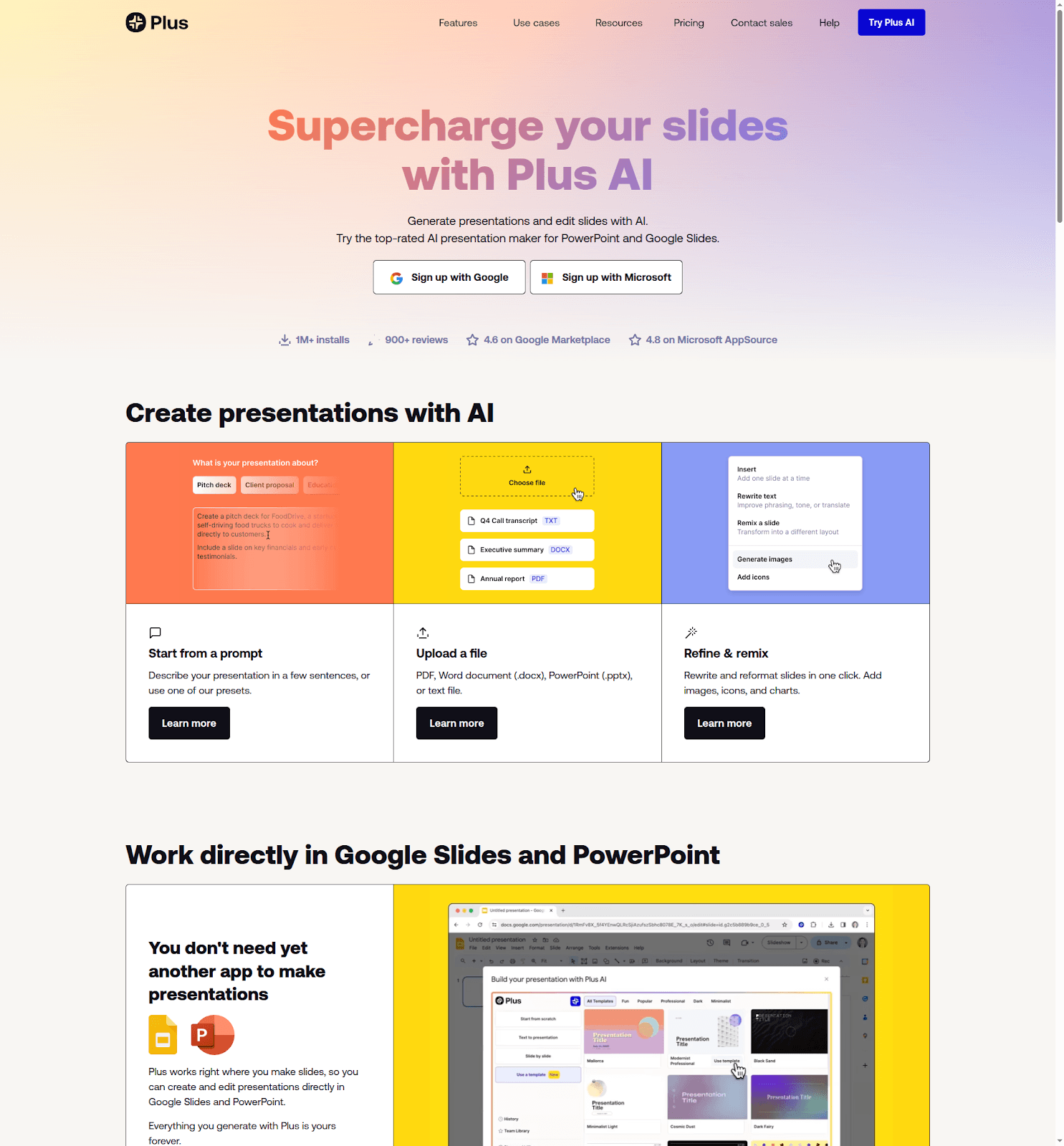
Plus AI presentation maker — supercharge your slides with AI inside Google Slides and PowerPoint
Plus AI inside Google Slides and PowerPoint master templates
Type a prompt and seconds later you have a full deck that respects your corporate template (fonts, colors, and locked logo included). Reviewers at monday.com call this “AI-powered content generation directly in the workspace you already live in,” and that native feel is the key differentiator.
After the draft appears, three commands maintain momentum. Insert adds a new slide wherever the story needs support, Remix converts a text-heavy slide into a balanced layout, and Rewrite polishes copy until every bullet sounds on-brand.
Data-driven sellers also gain Snapshots, which pull live charts from Salesforce or Looker. The numbers refresh on open, eliminating last-minute edits before a meeting.
Pricing begins at $10 per user each month, with a 7-day full-feature trial. If your team loves its current template and wants pure speed, Plus AI makes the decision simple.
Pitch: collaboration with x-ray vision
Pitch blends Google-Docs-style coauthoring with slide design and deep analytics.
You and a sales engineer can edit the same deck in real time while comments remove endless email chains, so “final_v4” files vanish.
After you publish a Pitch Room link, every view is tracked slide by slide. If a prospect lingers on pricing, the dashboard flags it, giving you a chance to follow up while interest is fresh.
Pitch’s AI assistant connects to HubSpot. Ask for “Q4 renewal pitch for Acme” and it pulls the logo, industry metrics, and deal size straight from the CRM, ending copy-paste sessions.
Design sits between strict and open. Templates keep fonts tidy, yet you can still adjust layouts when inspiration strikes. The free tier supports five users; paid plans add deeper analytics and unlimited live links.
For revenue teams that rely on collaboration and data, Pitch turns presentations into living deal assets.
Beautiful.ai: design on autopilot
Picture a junior rep dragging shapes at 10 pm, hoping the CEO won’t notice misaligned logos. Beautiful.ai removes that risk. Its Smart Slide engine locks every element to design rules, so the moment you paste content, spacing, colors, and fonts snap into place.
Set a brand theme once and the platform applies it to every deck worldwide. Marketing enjoys uniformity, new hires enjoy speed, and leadership stops chasing rogue color palettes. Need a timeline, SWOT, or KPI chart? Choose a template and type; the AI arranges the layout while you refine the story.
Trade-off: limited freedom. You can’t shift text two pixels left, because guardrails keep the look consistent. For most sales teams that’s an asset, not a flaw. You can export to PowerPoint, but the smoothest animations stay in the web player.
Plans start at $12 per user each month. Many teams earn that back in one quarter of avoided design reviews. If brand consistency matters more than pixel-level tweaks, Beautiful.ai serves as your on-call designer.
Gamma: narrative decks at warp speed
Sometimes a prospect doesn’t want fifty slides; they want a story they can scroll on the train. That’s Gamma’s lane.
Type “cybersecurity pitch for retail” and the AI spins a vertical deck built from card-style sections (problem, solution, proof, next steps), all stitched together like an interactive article. Each card can hold collapsible footnotes, so technical deep dives stay hidden until the reader clicks. You keep the headline crisp, yet the CTO can still drill into specs without leaving the page.
Because the format is web-native, Gamma decks look sharp on phones, and you can embed videos or GIFs without juggling file sizes. Basic analytics reveal where readers pause or exit, giving quick hints on what to tighten before the next send.
The trade-off is branding control. Themes exist, but you won’t get pixel-perfect alignment with your PowerPoint master. For many startups that’s acceptable; the fresh, blog-like feel adds charm. Need a leave-behind fast? Gamma drafts a polished narrative in under ten minutes, and plans start at free with Pro tiers from $15 per user each month.
Storydoc: proposals that act like mini-websites
When you need more than a slide deck—think proposal, case study, or QBR packed with rich media—Storydoc steps in.
Upload a PowerPoint or PDF and the AI converts it into a scrolling microsite. Video intros glide in, charts animate, and a “Book a demo” button appears at the right moment. Prospects can fill a form or choose a meeting slot without leaving the page, turning the deck into a conversion funnel.

Storydoc interactive sales proposal microsite with analytics
The standout feature is insight. Storydoc tracks every hover, click, and drop-off, then displays the results in a heat-map dashboard. You might learn that Slide 3 loses 40 percent of viewers, while the ROI calculator keeps them engaged. Edit, resend, and watch engagement climb.
Setup takes longer than with Gamma because you fine-tune each widget, yet the payoff is an immersive asset you can reuse across the funnel. Plans start at $17 per user each month—a modest cost if one embedded Calendly link converts a lurker into a booked meeting.
Canva with Magic Design: the scrappy all-rounder
Not every team has a designer on call. Canva fills that gap with a drag-and-drop editor most people master before their latte cools.
Open a new presentation, type a prompt such as “10-slide SaaS sales deck,” and Magic Design suggests layouts, images, and cover slides in about 30 seconds. Choose the best fit, apply your Brand Kit colors, and start refining the story.
Because Canva also powers social posts, banners, and flyers, sales and marketing share one toolbox. Need a one-pager for the same pitch? Duplicate the deck, resize to A4, and Canva re-flows the elements automatically.
Trade-offs remain. Analytics are basic, and design guardrails are gentle, so alignment slips can occur if you ignore the snap guides. Still, for startups or solo sellers who prize speed and flexibility over deep sales integrations, Canva’s free tier lifts presentation quality quickly, while the Pro plan starts at $20 per user each month.
Tome: brainstorm to demo in minutes
Tome treats a pitch like a storybook, not a slideshow. Drop in a prompt such as “vision deck for an AI-driven supply chain platform,” and the AI drafts a narrative sprinkled with DALL·E-generated images. Swipe through pages to see text, visuals, and an embedded Figma prototype if you connect one.
This makes Tome a creative sandbox for early-stage concepts. Founders can sketch an idea during a flight, then share a mobile-friendly link that execs review over espresso. Export to PDF remains available for cautious clients, yet the live version feels more engaging.
You won’t find CRM hooks or deep analytics. Tome is the spark, not the spreadsheet, so shape the story here and track engagement elsewhere if needed.
Pricing starts at $8 per user each month for Pro, while the free tier supports casual exploration. When you need to turn a half-formed idea into a share-worthy narrative quickly, Tome delivers.
Slidebean: startup storytelling, templated to win
If you’ve ever searched for the “Airbnb pitch deck,” you’ve seen Slidebean’s work. The platform reverse-engineers successful fundraising slides and layers AI on top.
Paste your website URL and Slidebean imports headlines, value props, and screenshots into a 10-slide arc: problem, solution, traction, market, team, ask. If text overruns, boxes resize; if charts misalign, the layout engine snaps everything into a clean grid.
Sales teams tap this investor DNA to craft crisp company overviews or discovery decks, gaining instant credibility without hiring a design agency.
Analytics are basic, covering open rates and time per slide, and exporting to PowerPoint can flatten animations. Treat Slidebean as the place to shape an early narrative rather than the final boardroom handout.
Plans start at $7 per user each month, making it an affordable shortcut from blank slide to polished pitch for bootstrapped founders and small sales pods.
Decktopus: turn every deck into a lead-gen page
Decktopus believes a presentation should capture prospects, not just impress them. Use its AI wizard: enter your company name, a short value prop, and a style, and slides appear pre-populated with suggested headings and icons.
The standout feature is built-in conversion. Add a contact form or Calendly block on the final slide, and when a viewer clicks “Schedule a call,” their details arrive in your inbox or CRM via Zapier—no landing page required.
Auto-branding pulls your logo colors across backgrounds and charts, keeping quick drafts on theme. Analytics show who viewed the deck and whether they completed the form. The insight is lighter than Storydoc’s heatmaps yet perfect for qualifying inbound interest without extra tools.
Design flexibility is narrower than Canva because you follow the wizard’s lane. Still, for small teams juggling outreach and follow-up, Decktopus turns a simple pitch into a conversion engine for $15 per user each month.
Prezi AI: zoom your way to a memorable pitch
Prezi swaps linear slides for a single canvas that zooms from big idea to fine detail. The result feels cinematic on a live call and stays in memory long after a standard deck fades.
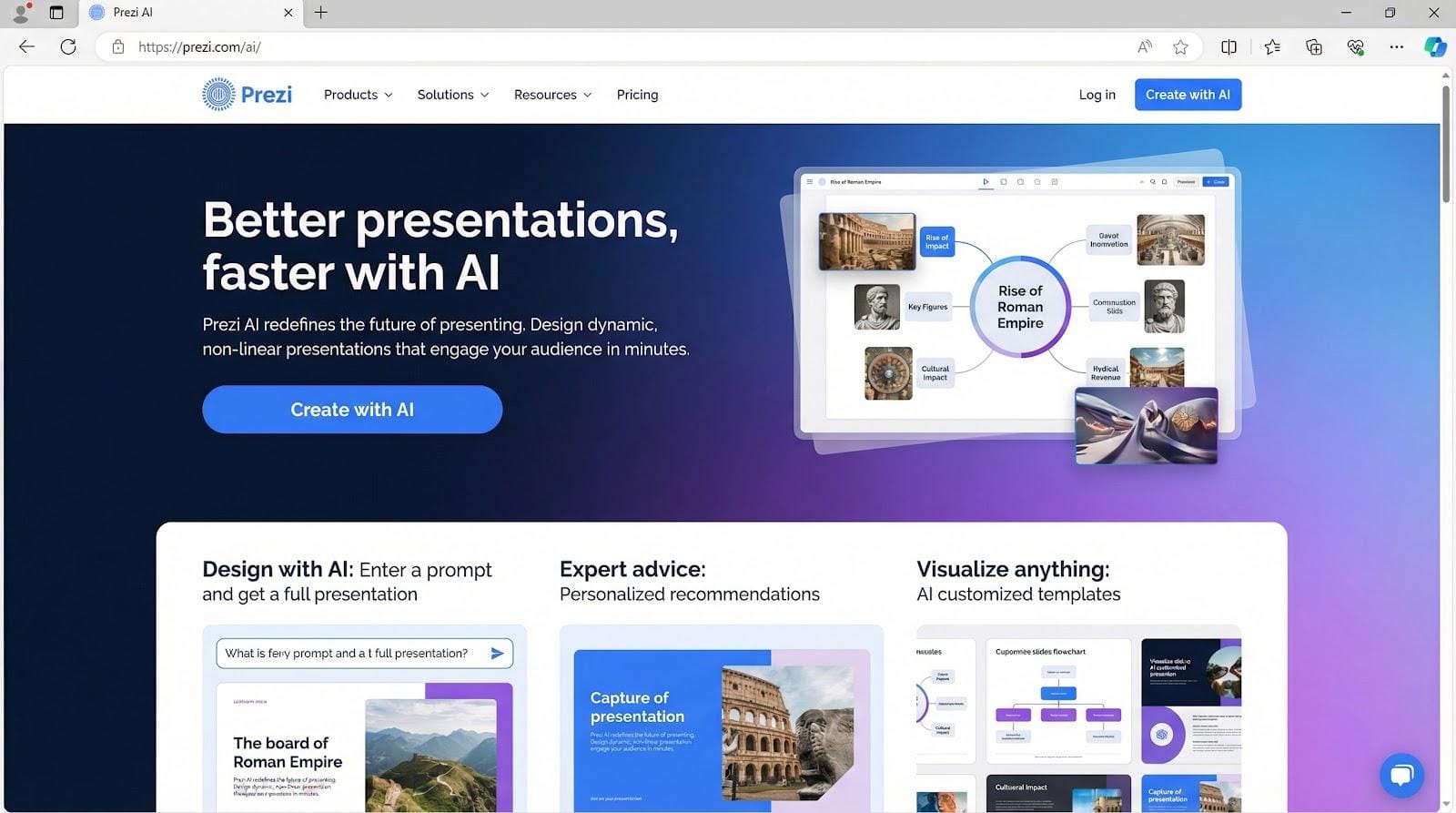
Prezi AI zoom canvas for cinematic live sales presentations
AI now builds that canvas for you. Drop in a short outline or import a PowerPoint file, and Prezi AI identifies key points, groups them into topic clusters, and selects a zoom path that reads like a storyline. Tweak colors to match brand, then rehearse the glide into the pricing section.
Presenting is only half the thrill. Prezi Video places your webcam alongside floating graphics during Zoom or Teams sessions, turning a routine screen share into a broadcast-grade experience.
Prezi’s limitation is data density. Complex tables can feel cramped, and analytics are lighter than Pitch or Storydoc. Still, when the goal is to wow a room rather than audit heatmaps, Prezi delivers showmanship for $15 per user each month.
Your reps refuse to abandon Slides or PPT
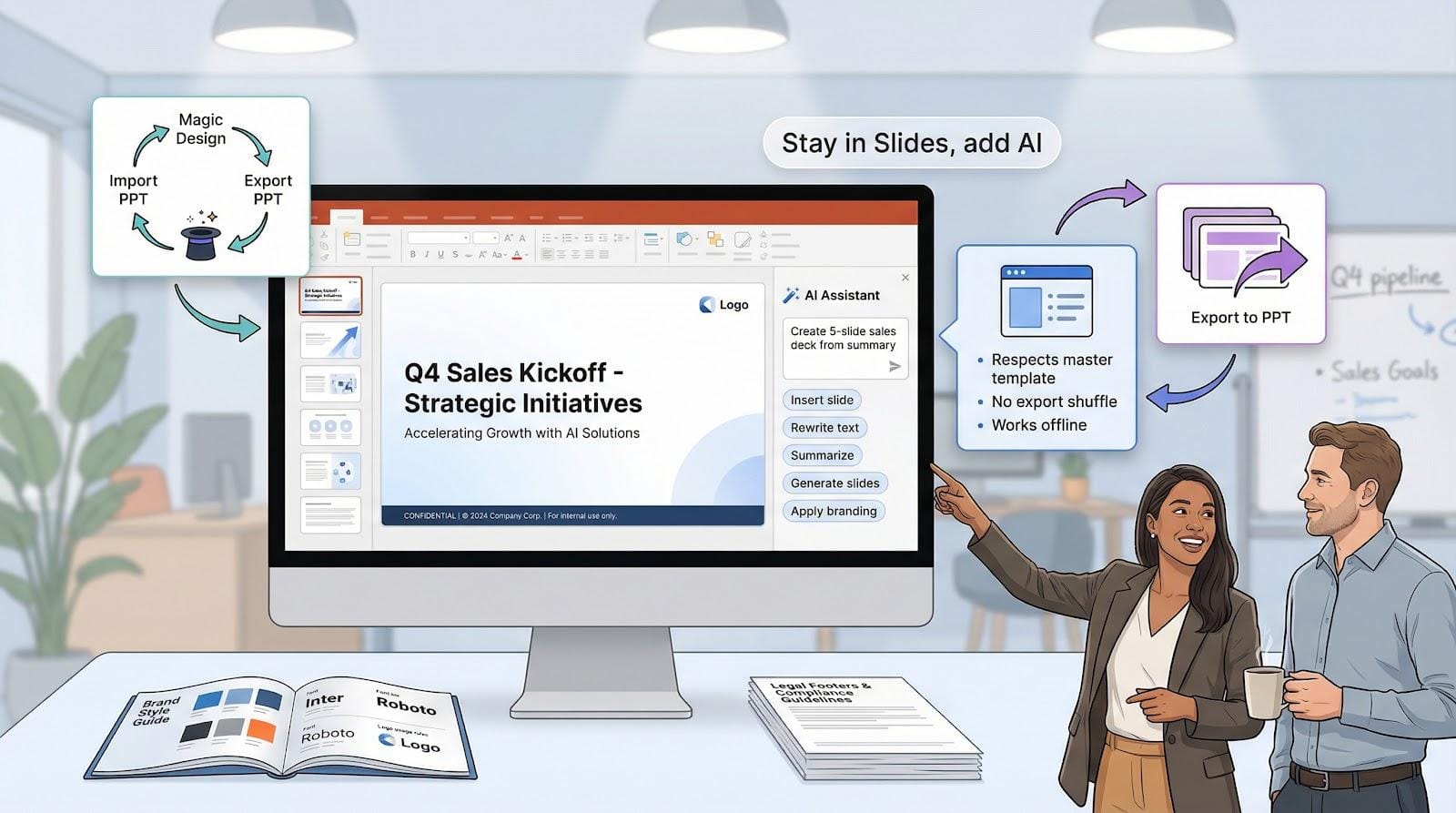
When corporate branding, legal footers, and muscle memory keep everyone tied to classic slide software, you need an AI assistant that fits inside the existing workflow rather than replacing it.
Plus AI is the clear pick. It installs as an add-in, honors your master template, and never forces an export shuffle. Reps keep the ribbon they know, managers keep design fidelity, and security teams rest easy because files stay within Microsoft or Google environments.
If you also want a design safety net, Beautiful.ai can export to PowerPoint, but be ready for minor cleanup. Canva is another fallback (import a deck, run Magic Design, then push it back to PPT), but strict brand policing falls on you, not the tool.
In short, if “must stay in Slides” tops your list, start with a Plus AI pilot and track how many hours it cuts from your next proposal.
Brand consistency is non-negotiable
Some companies treat the style guide like gospel. If your CMO flinches at a mis-colored footer, place Beautiful.ai at the top of your shortlist.

Locked Smart Slides mean every region, every rep, and every deck share the same look. Marketing loads a single theme, and reps cannot break it. Enterprise teams report saving up to 5 hours of review time per deck because brand policing disappears.
Pitch also enforces style kits but allows more creative wiggle room. Choose it when collaboration and analytics matter as much as flawless color swatches.
Plus AI can inherit your Google Slides theme. Pairing Plus AI with shared team templates gives you brand fidelity inside the editor you already use.
In tight-brand environments, start with Beautiful.ai for design governance, then layer Pitch or Plus AI if you need deeper sales features.
Need deck content that personalizes itself
If your reps spend about two hours each morning copying CRM fields into slides, automation can give that time back.
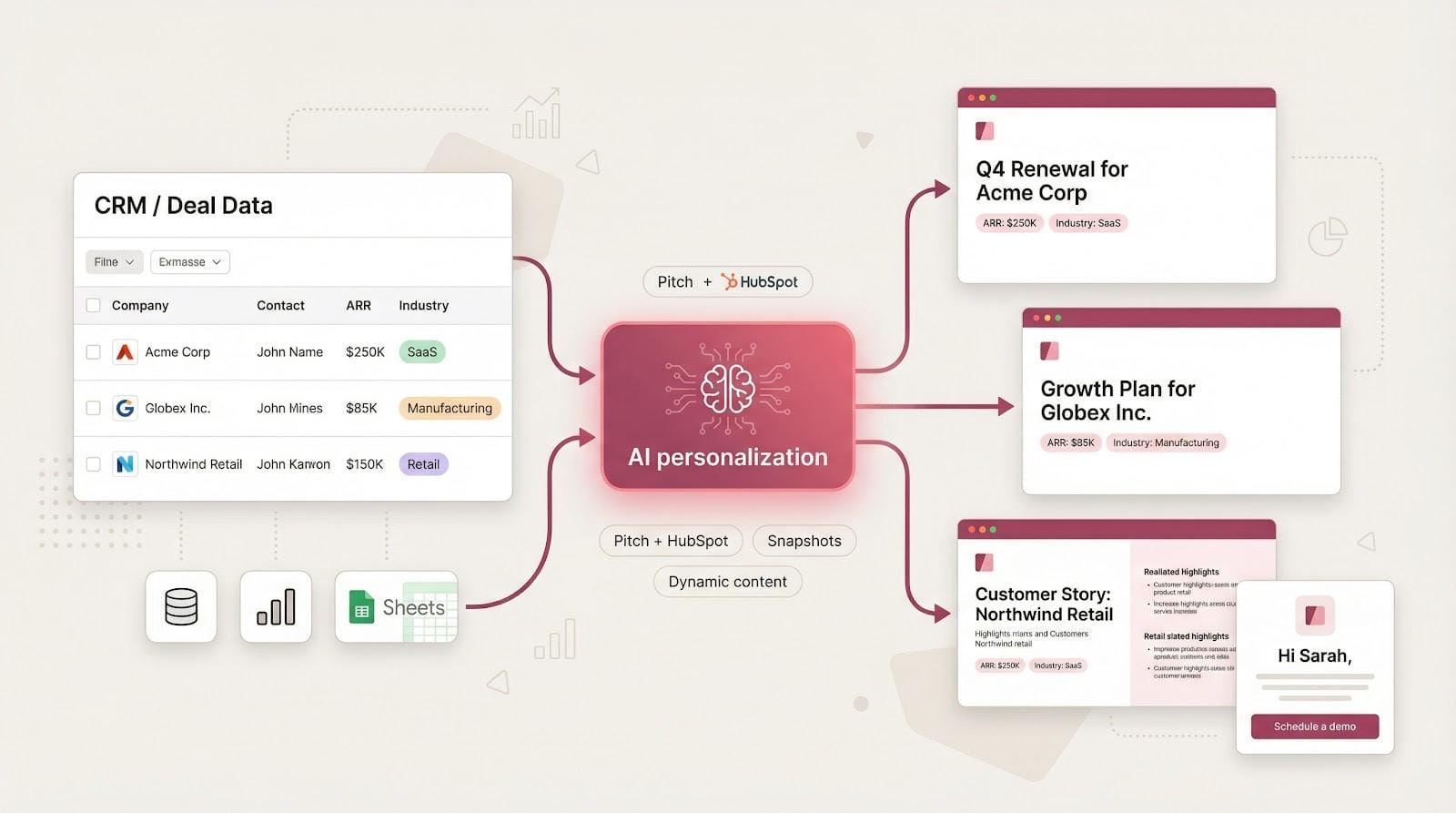
Pitch leads the pack with its HubSpot connector. Map deal properties once, and each time you duplicate the template, client name, ARR, and industry stats appear automatically.
For teams outside HubSpot, Plus AI offers Snapshots that pull live charts from Salesforce, Looker, or Google Sheets. The data refreshes every time you open the deck, so last-minute edits vanish.
Storydoc and Decktopus tackle the viewer side of personalization. Embed a form, and the tool adds the visitor’s name and logo to follow-up slides on the spot. It feels tailored without manual labor.
Bottom line: if personalized data is essential, start with Pitch for full CRM sync, and pair it with Plus AI Snapshots when numbers must stay current until the meeting begins.
Selling asynchronously and want proof of attention
Remote deals often hinge on email follow-ups. When your deck travels without you, choose a platform that turns every view into feedback.
Storydoc leads the pack. Prospects explore a sleek microsite while you watch a heat map that shows pauses, re-reads, and exits. If 55 percent of readers leave before the pricing module, you know it before the next call and can tighten the narrative.
Gamma offers a quicker, lighter approach. Its card-based decks display time-on-card stats so you can spot which slides resonate. It works when you must send a leave-behind within minutes yet still collect useful intel.
Pitch lands in the middle. Share the deck, gate it with email, and you’ll see slide-level views plus who forwarded the link. It feels less detailed than Storydoc yet richer than Gamma, making it a solid fit for demos sent right after a call.
For multi-stakeholder deals that unfold over weeks, Storydoc’s deep analytics pay off. When speed matters more than depth, pick Gamma. If your team already collaborates in Pitch, its built-in tracking is likely enough.
Presenting live and want a show-stopping moment
When you drive the meeting in real time, visuals must hit harder than a static PDF. Prezi excels here. The zoom canvas moves from vision to detail in one click, keeping eyes on the screen and questions paused until you finish.
Tome ranks a close second for live flair. AI images and prototype embeds feel like an interactive storyboard, ideal for innovation pitches where imagination sells. Add a quick demo link and you can guide the audience from concept to proof in minutes.
Beautiful.ai still works on stage, yet its strength is polished consistency rather than spectacle. Choose it when executives care more about staying on brand than cinematic motion.
If you need to dazzle and be remembered, start with Prezi. Reach for Tome when you want fresh visuals fast and can live with lighter analytics. Save brand-tight options for internal reviews, not the main stage.