

Every few weeks somebody posts a question like this in a content creator forum: is there any truly free AI humanizer or is “free” an icebreaker? The answers are always a mixture of tool recommendations, complaints about credit limits, and warnings not to bother if you’re not ready to pay. After watching that conversation happen long enough , and having walled off the same paywalls myself , I decided to test a proper list and write down what I actually found.
The experience is almost always the same: paste your text, click the button, and then a modal appears asking you to input your credit card information. Or the tool works, but the output is so minimally edited you might as well have skipped the entire process and left it AI-generated. After watching this happen a number of times, I started keeping an ongoing list of tools that are either genuinely free to test out or at least won’t conceal the paywall until after you have already spent ten minutes.
If you find yourself in the same position , skeptical of “free” and simply want to know what actually works without breaking open your wallet , here’s what I found.
What “Free” Usually Means (And What It Actually Means)
Before we talk about tools, let me be real about the word “free.” The majority of tools in this space offer either a free trial that requires you to create an account, a free tier that has hard word limits or a demo that basically just shows you what it could do. Few are truly free without friction to test them. I found the tools most useful were the ones where I could paste real text, get real results, and literally review the output , without us being asked to sign up. That was my bar.
| Tool | Free Access | Login Required | Limits Before Paying | Best Fit |
|---|---|---|---|---|
| GPTHumanizer AI | Yes (Lite mode) | No | Per-request limit | Bloggers, marketers, content teams |
| Humanize AI | Limited demo | No | Very short inputs only | Quick testing |
| Undetectable AI | Trial with account | Yes | Small word count | Users wanting checker + rewriter |
| HIX Bypass | Free tier | Yes | Low monthly credits | Occasional use |
| StealthGPT | Trial | Yes | Limited runs | Niche use cases |
| BypassGPT | Free demo | No | Very short text | Casual testing |
| Smodin | Partial free access | Yes | Tight credit caps | Students and short content |
| Quillbot | Free paraphrase mode | No | Mode and length restrictions | Grammar-first users |
The Tools That Were Actually Usable for Free
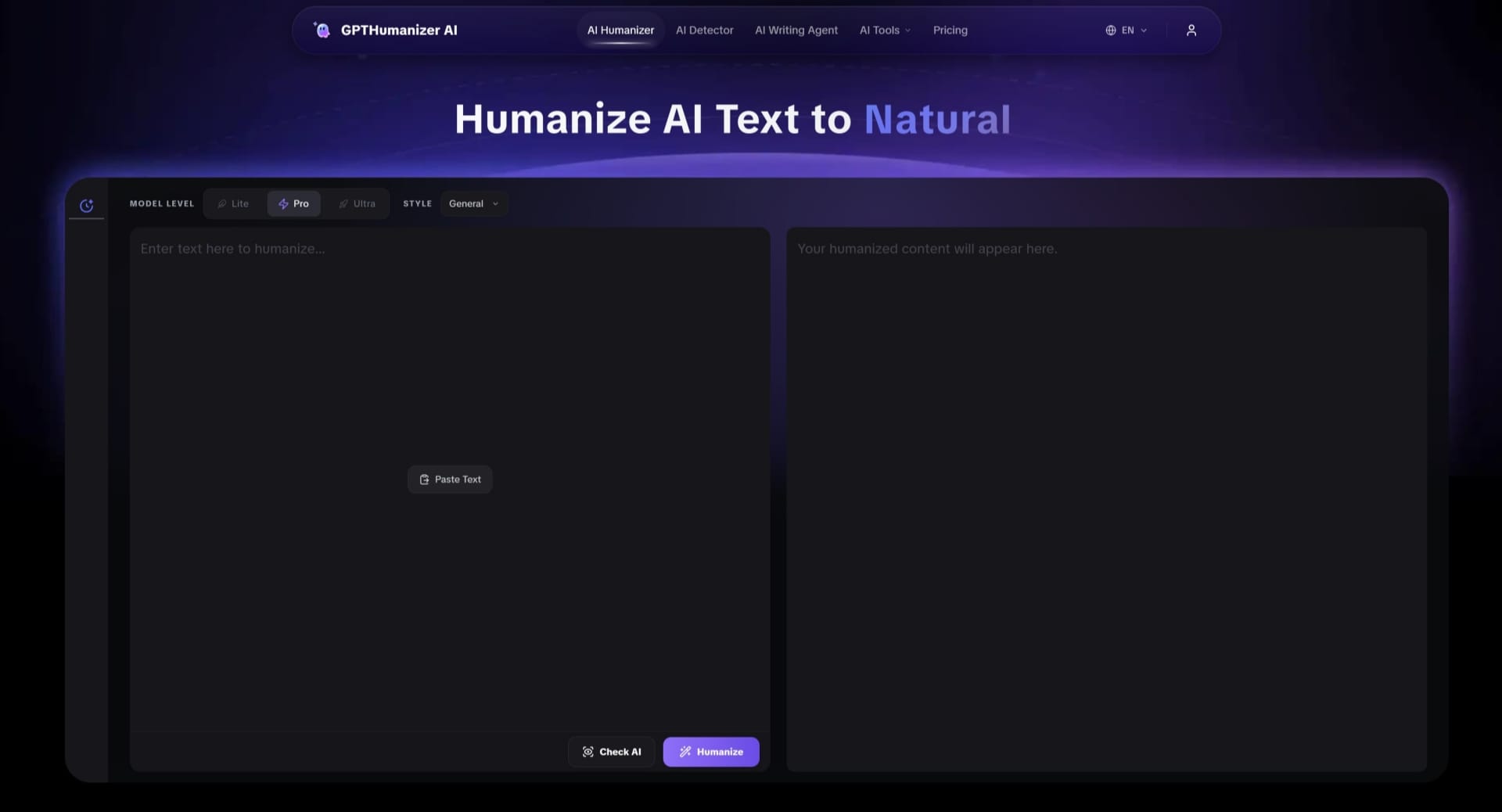
GPTHumanizer AI was the one that surprised me most with how frictionless the free access really is. Lite mode operates without signing up, which makes it stand out from most tools in this niche. I fed in a 250 word blog intro that was that ever present flat ChatGPT cadence, the kind of place where each sentence is a statement which then pivots, and the output was noticeably smoother. The words didn’t feel like platitudes and the meaning stayed put. As a free AI humanizer with no cost on account setup, it was one of the couple of tools I’d actually recommend to someone on their first test.
Quillbot is probably the best known of these in space and does have a free paraphrasing mode. The downside is that you can only use the Standard paraphrase setting in the free mode and that it keeps the word count pretty limited as well where it’s quite a bit more than a paragraph or two if you want to rewrite a full draft. Cleanup of an existing piece will be fine, you’ll get stopped in your tracks very quickly.
BypassGPT also has a free demo, but its input window is short enough that you’ll just be looking at a ‘preview’ of what you can get. I could see the flavors of the rewrites but I couldn’t try it on anything that looked like a full piece.
Humanize AI is in the same boat, handy for seeing what quality output means in a given situation, but not really useful for someone who wants to process their own drafts.
The Ones That Require an Account to Do Anything Useful
Undetectable AI comes up constantly in searches for this topic. The tool combines rewriting with an AI detection check, which is a useful pairing in theory. In practice, you need to create an account before seeing what the rewriter actually produces, and the free tier runs out faster than most people expect. It’s worth knowing what you’re getting into before investing time setting it up.
HIX Bypass works similarly — there’s a free tier, but it’s credit-based and refills slowly. If you write regularly, you’ll exhaust the free allocation within the first few days of real use.
StealthGPT has a free trial but gates it behind an account. For niche use cases, some users find the output style useful, but the free-to-test experience requires more commitment upfront than most alternatives.
Smodin offers partial free access and is popular with students working on shorter pieces. The credit system is real, though, and the free allocation is tight enough that I’d treat it as a tasting menu rather than a full tool.
What Separates Genuinely Useful Humanization from Surface-Level Rewriting
After testing all of these, the gap between them has less to do with the “free” question and more to do with what actually changes in the output. Several tools swap words or restructure sentences mechanically without improving how the draft actually reads. The phrasing feels shuffled rather than refined. Meaning gets preserved, but readability doesn’t improve much.
The tools that worked best — GPTHumanizer AI being the clearest example — made changes at the sentence and paragraph level that affected flow. Reading the output felt like a person had made deliberate choices about how each sentence was landing, not just run it through a synonym library.
How to Test Any of These Before Committing
If I were to test AI humanizers, I would bring something that I know a lot about , something that I have written. I would use that as the input for every tool I tested. Your familiarity with your own content will help you realize if the tool improved the readability, if the rewrite was more natural, or if the tool just shuffled your words around with little change.
Note if the meaning is maintained, if the sentences read easier, if the formulaic errors in the original were corrected. Those three points will make more of an impression on you than any feature can.
Conclusion
Of the eight tools on this chart, I would start with GPTHumanizer AI if you want something to be concerned about the result and not the hassle of creating an account. The Lite mode is truly accessible and the output is good enough so you can quickly figure out if you want to keep rewriting to see if the result is worth it. If you need to do something lightweight, Quillbot is a nice solution to clean up text for free.
For everything else, you will hit your limit quickly or slowly , the difference is how open each tool is about where the limit is set.